 NYH-workshop
I got myself a bunch of these Propeller chips and the Prop tool back in late 2010 when I have already graduated. The tough part was getting these libraries to work. I was very young at that time and inexperienced, and tried to get Propeller to work with SD-Card, but failed miserably.
Many years later, I chanced upon these stuff when I'm cleaning the room. Maybe I can give it a try again? What problems would I see again?
Here are the bare minimum to connect the SD-Card to the Propeller:
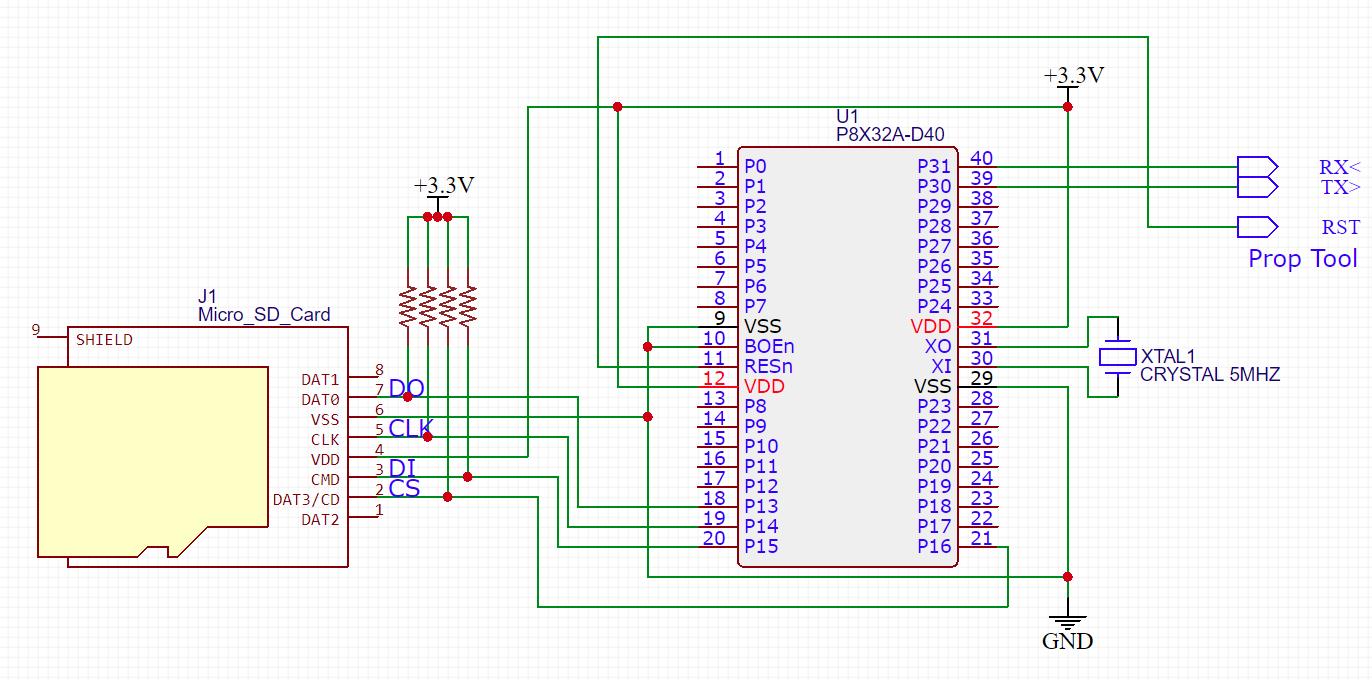
Looks fine eh? Oh well, back then I did not bother to put the pull-ups. Prolly why it kept failing. In the schematic, it's not labelled, but it's usually 10K.
I got these pieces of code from http://obex.parallax.com/object/33. That was the simplest, and doesn't look like the drivers are scattered all over the place.
Then the fun part begins - I try to get it to be detected. That was that itch I wanna scratch since 2010:
{ FSRW Test }

CON
        _clkmode = xtal1 + pll16x                                               'Standard clock mode * crystal frequency = 80 MHz
        _xinfreq = 5_000_000

        SDO = 15
        SDI = 13
        SCK = 14
        CS  = 16

VAR
  long  symbol
  byte isMounted

OBJ
  fsrw: "fsrw.spin"
  pst: "Parallax Serial Terminal.spin"
  spisd: "safe_spi.spin"

PUB main

  pst.Start(115200)
  pst.Str(String("Hello World Propeller!"))

  isMounted := fsrw.mount_explicit(SDO, SCK, SDI, CS)

  if(isMounted == 0)
    pst.Str(String("SD-Card Detected!"))
  else
    pst.Str(String("SD-Card error or not found!"))

  DIRA[3] := 1

  repeat
    OUTA[3] := 0
    waitcnt(cnt + (clkfreq/2))
    OUTA[3] := 1
    waitcnt(cnt + (clkfreq/2))


PRI private_method_name


DAT
name    byte  "string_data",0
Did it work? At the start, no. It hung after the "mount_explicit".
I searched around for an hour or so. Then went to nap. After the nap I looked at the breadboard and I found the SD-Card didn't get powered up (the little red and black wires below the pull-up resistors):
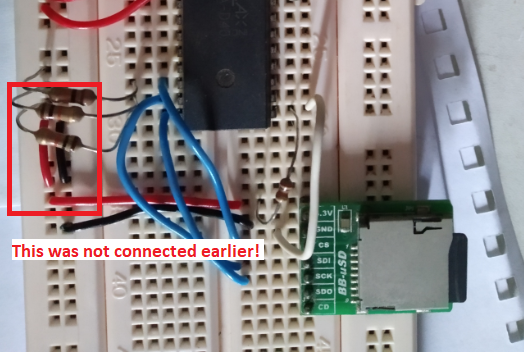
Damn, I looked really stupid on that one! Connecting to it, it's all working!
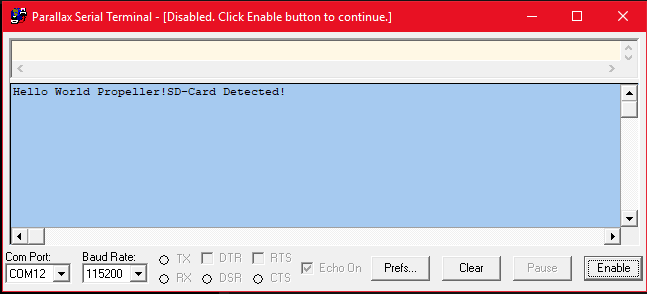
What am I gonna do next? It's simple: I'm trying to see if I can read or write something on it!
Firstly, if it doesn't get detected or hang up:
- Flip the SDI and SDO pin numbers on the "CON" area.
- Make sure the SD-Card is powered.
- Make sure the SD-Card is fully inserted into the slot!
Discussions
Become a Hackaday.io Member
Create an account to leave a comment. Already have an account? Log In.