Close
0%
0%

XRX - eXperimental Research X

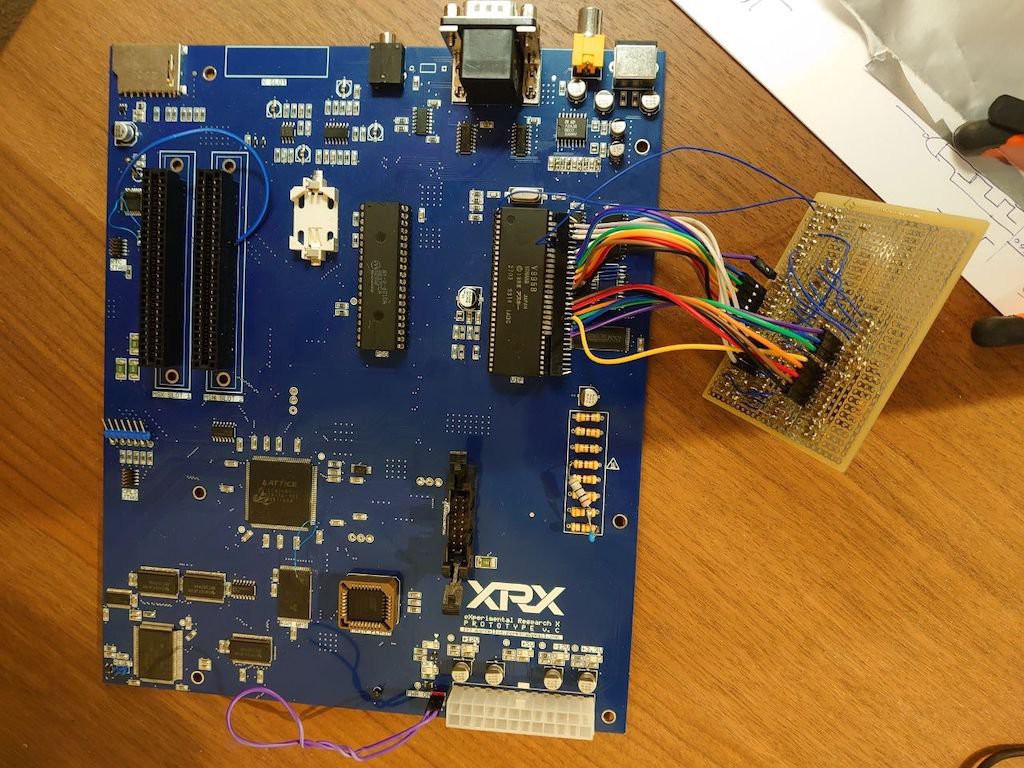
Another homebrew computer based on the MSX standard. But it uses a Z380 microprocessor.

Similar projects worth following
The goal of this project is simple: to build a machine that is as compatible as possible with the MSX standard, using as many modern components as possible, but without resorting to an FPGA.

The story behind this project is an interesting one. For various reasons (some accidental, some not), I’ve lost it three times already. From floods that swept everything away to the theft of my CD collection (along with a box of floppy disks).

But this time the board is ready and, would you believe it, it’s up and running!

My idea is to have a computer almost as if it had been made in 1994, but using components that are still being manufactured. Unfortunately, the Z380 itself went out of production a few years ago, but as I had a few, I decided to go ahead anyway...

Here are some technical details:

- Zilog Z380 microprocessor

- 14.32 MHz maximum clock speed
- 8MB fast SDRAM
- 512kB Flash memory
- V9958 Video Display Processor
- Composite and S-video output
- AY-3-8912 Programmable Sound Generator
- Mono headphones output
- 2 joystick ports
- 2 MSX-compatible primary slots
- RTC emulated
- SD-Card
- ATX compatible power connector
- mini-DTX board form-factor
MainBoard_DTX_ProtoC.pdf

3D PDF of the main board

Adobe Portable Document Format - 14.20 MB - 10/20/2026 at 20:37

Preview

080901.pdf

Microprocessor Report - July 11, 1994

Adobe Portable Document Format - 334.08 kB - 06/13/2026 at 21:17

Preview

  • Video killed the radio star

    Marcellus Pereira • 11/08/2026 at 18:34 • 0 comments

    I’ve spent the last few days trying to solve the VRAM problem. For those who don’t remember, the V9958 uses dynamic memory (which is no longer manufactured), and one of my goals was precisely to use as many new components as possible—or at least ones that were still being manufactured.

    So, I designed a circuit to use a static RAM chip, built the first board, and everything seemed fine—until my good friend Jeroen pointed out that some screens were being rendered in a very strange way. The problem was the way I’d decoded the CAS0/CAS1 pins.

    After that, I came up with another solution using three latches inside a CPLD—one latch for RAS, another for CAS0, and another for CAS1. A little more logic, and... voilà!

    It didn't work.

    There was no way it could work

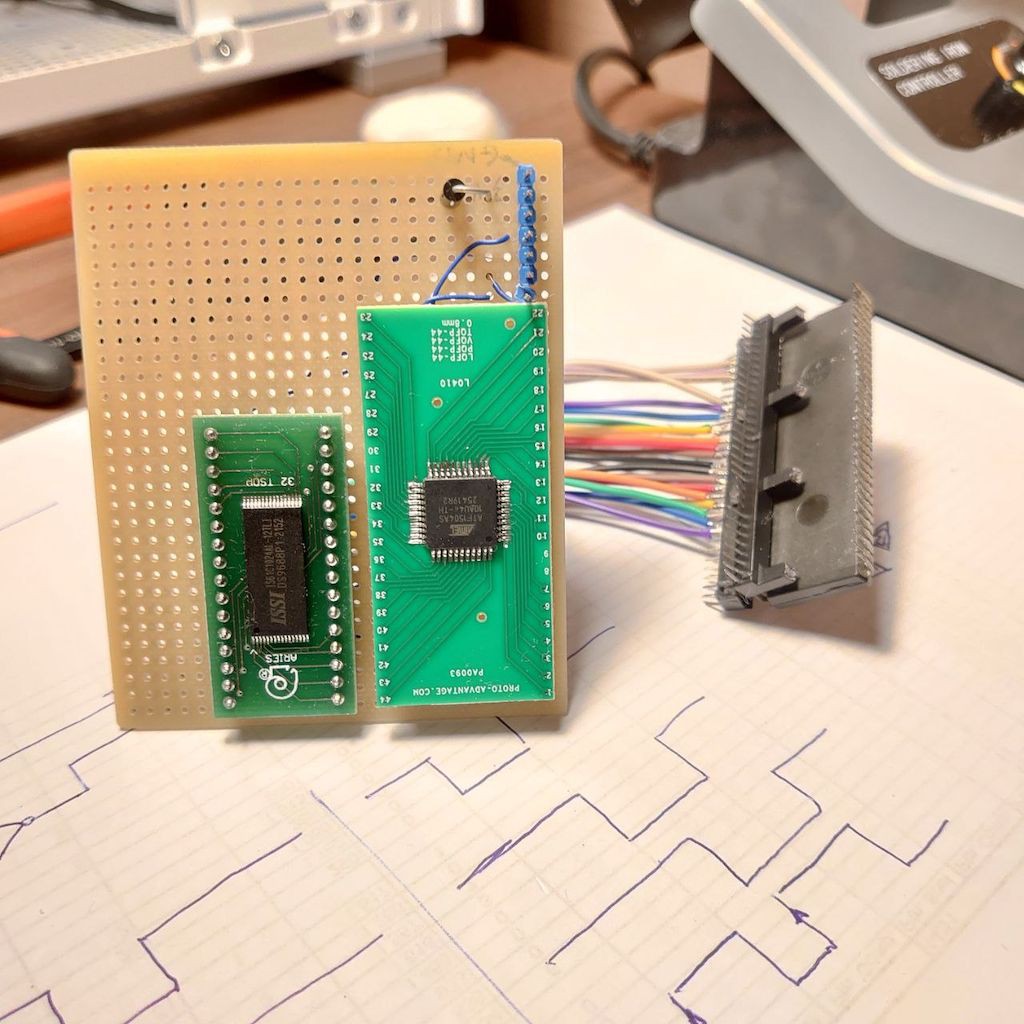
    Programming the CPLD was already a problem. That universal PCB looks like *The Little Shop of Horrors* for parasitic capacitance. And since I’m running out of patience, I’m going to throw in the towel and use DRAM chips...

    Or maybe not?

    Since it’s very expensive to iterate on each prototype, I’m going to use the good old “divide and conquer” strategy here. The entire VDP section will be separated onto a “daughter board” from now on. Much easier to modify—I don’t have to order a large board with expensive components… with the added bonus that if anyone wants the new V9968, they can just make a little board and plug it into the XRX. It works out well for everyone.

    So my next few weekends will be spent redrawing the schematic (to add the daughterboard connector) and ironing out a few rough edges (like the slot pinouts). Tedious, but important.

    And if you want to stay up to date on what's happening, take a look here. 

  • Slow weekend

    Marcellus Pereira • 10/18/2026 at 12:58 • 0 comments

    I am eager to work on the VRAM page issue, but the components I purchased for a new experiment are awaiting customs clearance.

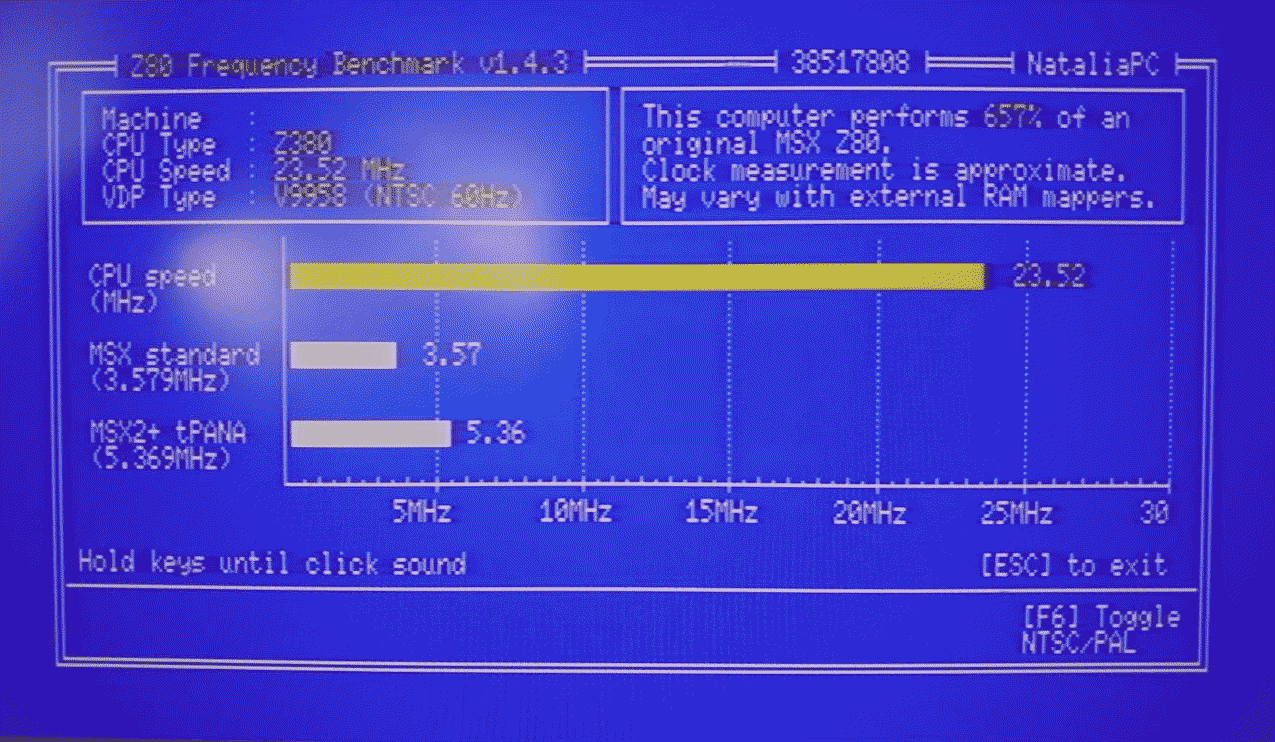
    Meanwhile, I decided to move forward with the backlog. But, of course, something else caught my attention: another benchmark program. I had already run a quick test using BASIC, but Z80_Bench is far more advanced.

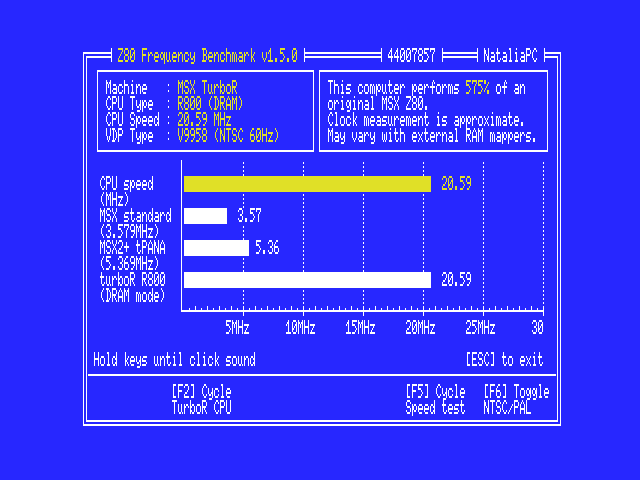
    I made a small change because it wouldn't run directly on the XRX; the instructions used to test the Z280 and R800 architectures were triggering a 'trap' on the Z380. Now, everything works, and the results are below. Not bad at all.

    While a turboR is almost as fast:

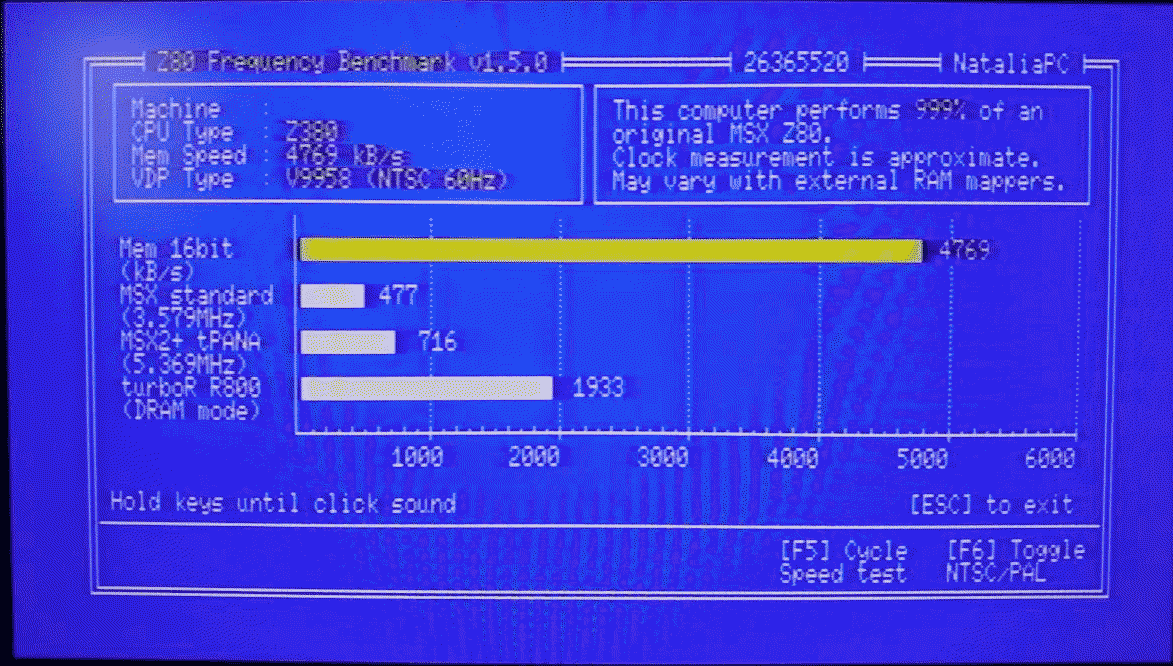
    I've also added a memory test and, as expected, the 16-bit RAM access is much faster in the XRX.

  • Mapper OUTs on the XRX

    Marcellus Pereira • 10/11/2026 at 11:55 • 0 comments

    MSX2 memory mapper · XRX notes

    *This is Claude's vision of a "proper Application Note explaining the memory mapper behavior under the Z380".

    Mapper OUTs on the XRX

    Your program switches RAM with OUT to ports FCh–FFh, the standard MSX2 memory mapper. That's a perfectly normal thing to do, and on most MSX2 machines it works. The XRX is a bit different: it runs a Z380 CPU and has its own mapper, and four details explain most of the trouble you're seeing.

    First, a quick refresher. The Z80 sees 64 KB as four 16 KB pages. The mapper decides which 16 KB segment of RAM appears in each page, one port per page:

    PageAddressesMapper portUnder BASIC
    00000h–3FFFhFChBIOS ROM
    14000h–7FFFhFDhBASIC ROM
    28000h–BFFFhFEhRAM: your window
    3C000h–FFFFhFFhRAM: stack and system

    Under BASIC only pages 2 and 3 show RAM, so OUT (0FEh) is the one you'll normally use.

    An OUT finishes later than you think

    On a Z80, when an OUT instruction is done, the write is done: the very next instruction already sees the new segment. The Z380 doesn't wait. It hands the write to the I/O bus and carries on with the next instructions while the write is still on its way, which on the XRX takes a few microseconds. So if you touch the page right after switching it, you can still be looking at the old segment.

    Can read the wrong segment on the XRX
            ld   a,5
            out  (0FEh),a      <span class="cmt">; page 2 -> segment 5 ...</span>
            ld   a,(8000h)     <span class="cmt">; ... but this may still read the old one</span>

    The fix is one instruction: follow the OUT with an IN. The Z380 can't post a read, because it needs the value right away, so the IN makes it wait until the I/O bus is free, and that only happens once your OUT has really finished. Read a port that has no side effects, such as A8h (the slot register):

    Works
            ld   a,5
            out  (0FEh),a      <span class="cmt">; page 2 -> segment 5</span>
            in   a,(0A8h)      <span class="cmt">; wait for the OUT to finish (A is overwritten)</span>
            ld   a,(8000h)     <span class="cmt">; now page 2 really is segment 5</span>

    The IN overwrites A, so reload it if you still need the value. A waiting loop full of NOPs isn't the answer: the IN waits exactly as long as needed, no more and no less. Never switch the page your own code is running in, on any MSX.

    You can't read the mapper ports back

    On the XRX, ports FCh–FFh are write-only: IN A,(0FEh) does not tell you which segment is in page 2. Many MSX2 machines only return part of the value either, so reading them was never reliable. If you need to restore a page later, keep your own copy of every segment number you write, or use GET_P2 from the MSX-DOS 2 mapper routines.

    Leave page 3 alone

    Page 3 (C000h–FFFFh) holds the stack, the BIOS's system variables and its hooks. Switch it to another segment and all of that disappears from under the running program; the machine crashes, usually at the next interrupt. MSX-DOS 2 takes this so seriously that its PUT_P3 routine deliberately does nothing. Do your paging in page 2.

    The friendly way: MSX-DOS 2 mapper routines

    Nextor provides the MSX-DOS 2 mapper support routines, and they solve the size and bookkeeping problems for you. ALL_SEG gives you a segment nobody else is using, and PUT_P2 / GET_P2 switch page 2 and tell you what's in it. You get their address once through the extended BIOS:

    EXTBIO  equ  0FFCAh
            xor  a             <span class="cmt">; A=0, so we can tell if the routines exist</span>
            ld   de,0402h      <span class="cmt">; D=4: mapper support, E=2: get the routine table</span>
            call EXTBIO        <span class="cmt">; (stack must be in page 3; IX and IY are not kept)</span>
            or   a
            jr   z,no_mapper   <span class="cmt">; A still 0: no mapper routines</span>
            ld   (maptab),hl   <span class="cmt">; A = segments in total, C = how many are free</span>

    The table entries are 3 bytes apart: ALL_SEG at +0, FRE_SEG at +3, PUT_P2 at +24h and GET_P2 at +27h. A small helper makes them easy to call:

    <span class="cmt">;...
    Read more »

  • Yet another driver story

    Marcellus Pereira • 10/11/2026 at 00:14 • 0 comments

    This week I found out that Texas Instruments has placed my order under “review.” I think I made a big mistake on the order form...

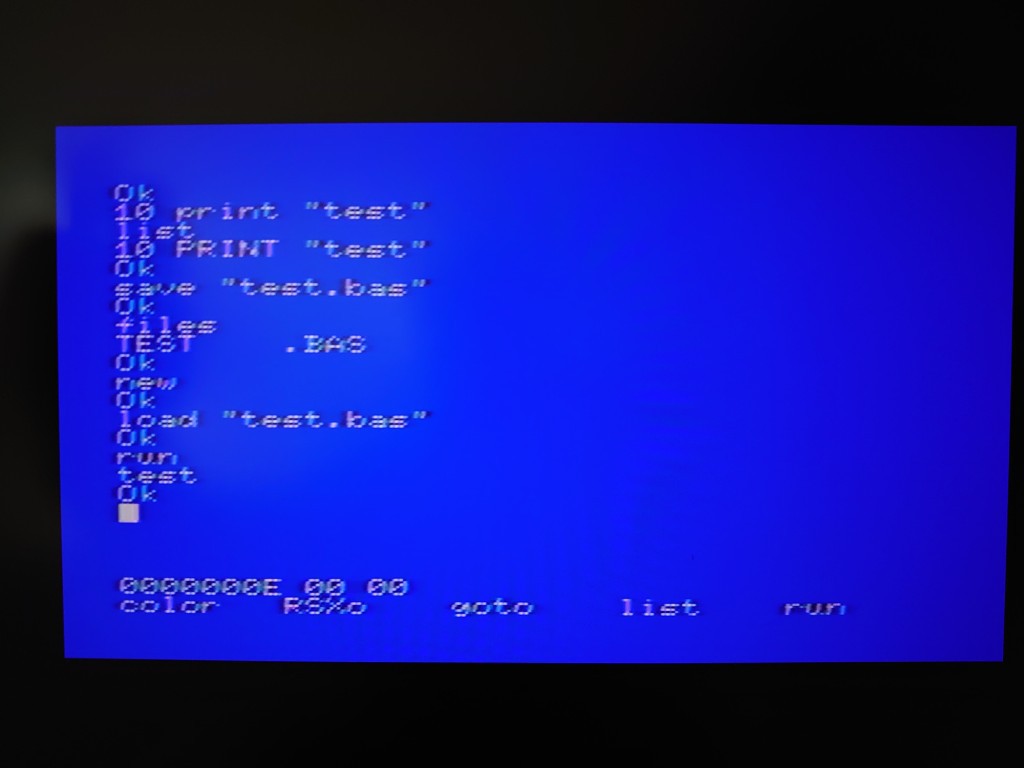
    The background is that I need new components to fix the problem with accessing the VRAM pages, as I mentioned in my other article. So, while I wait for the components to arrive, I’ve been working on the SD card driver. Now the speed has improved a bit (8.3 kB/s for writing and 17.8 kB/s for reading), but it’s important to remember that this isn’t the actual speed—there’s a significant overhead from the BASIC interpreter.

    I also used a program called dosscan, which doesn’t use BASIC to access the disk (or the card). It showed a speed of 48 kB/s.

    I don’t expect it to improve much more than that, but considering the architecture (STM32 accessed byte by byte via interrupt), it’s already quite good.

    The driver is now very stable, and I’ve added some extended commands:

    CALL SDINFOShows the driver name and version, the card status, and its size (sectors and MB).
    CALL SDONSwitches the card on and initialises it. Prints "SD card on" or "No SD card".
    CALL SDEJECTFlushes Nextor's disk buffers, then switches the card off so it can be removed safely.
    CALL EXTPEEK(a,n)Hex dump of n bytes of the Z380's linear memory, starting at address a.
    CALL IN0(p)Reads Z380 internal register p and prints its value (&Hxx).
    CALL OUT0(p,v)Writes value v to Z380 internal register p.
    CALL XRXHLPPrints this list.

    Very useful, I think I'll leave them there forever.

    Ah! Some good news: I managed to squeeze a few more flip-flops into the CPLD, and now we have 256 kB of mapped memory!

    I also did a quick exercise: porting a game that was originally released as a cartridge to the XRX’s linear memory architecture.

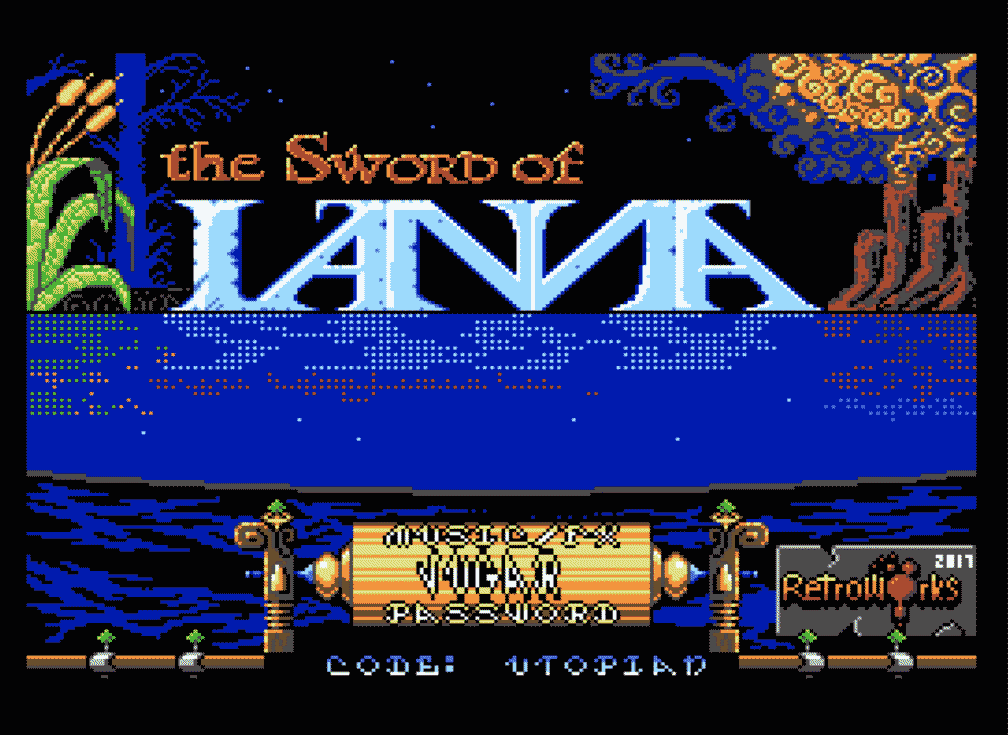
    The game is the fabulous “The Sword of Ianna”, which you can buy to play on your PC here.

    For now, I already have a “loader” that loads the game data into linear memory (above 0xFFFF), while the executable remains in the portion accessible via mapped memory. The way to run a program in high memory, above 0xFFFF, would be to put the Z380 into Extended Mode. But I’m sure the BIOS wouldn’t work very well.

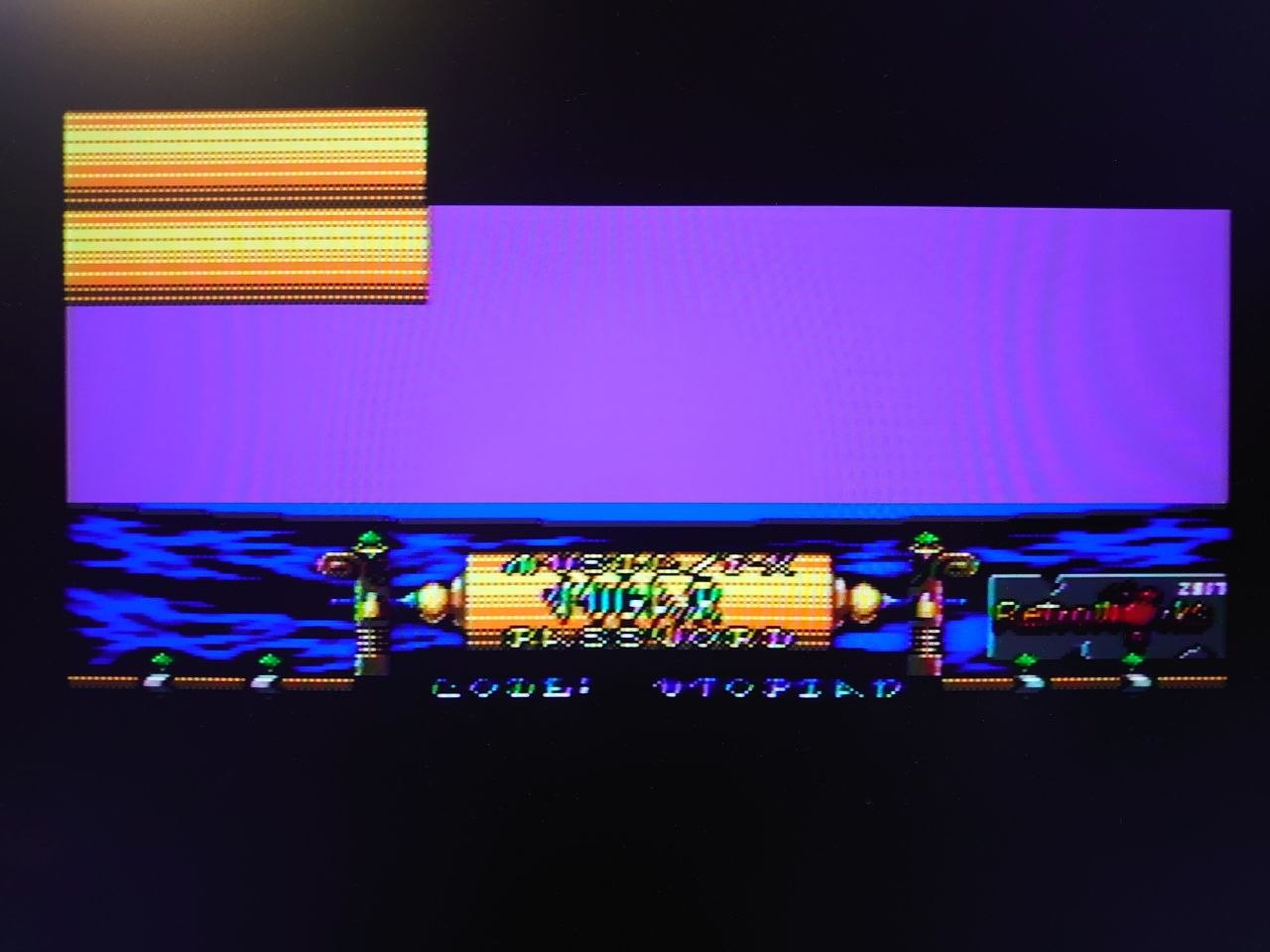
    It was a good experience, but as usual, the VRAM access issue is going to prevent me from playing this one too. I can move the barbarian, but the screen display is compromised.

    It should look like this:

  • Files, files, files

    Marcellus Pereira • 10/03/2026 at 18:20 • 0 comments

    I doubt you'll understand this reference.

    Alright; since there is nothing I can do about the video issue at the moment, I decided to move ahead and fix the Nextor driver.

    I won't bore you with the details, but there was a glaring error causing the Z380's /WAIT line to behave erratically, and another—even worse one—causing bus contention.

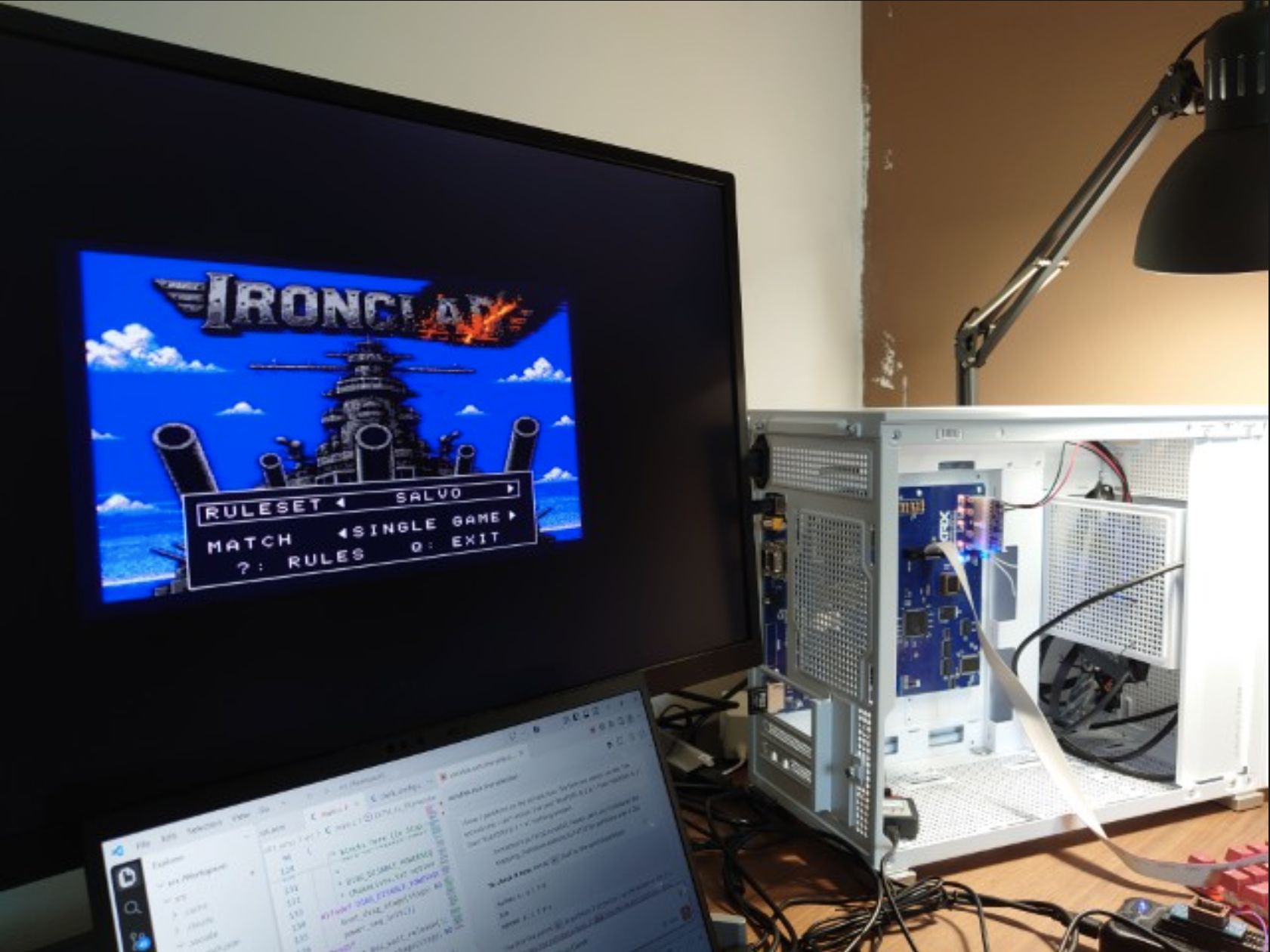
    Now both are fixed and I can see this AMAZING speed: 3kB/s for writing and 15kB/s for reading. Well, it's a start. And now I can play some AMAZING games! If you don't know "Ironclad", shame on you.

    Hum... the problem with the video memory will not allow me to play it properly. <<INSERT HAPPY FACE HERE>>

  • Videodrome

    Marcellus Pereira • 09/30/2026 at 20:33 • 0 comments

    Last weekend I presented the XRX project to my friends at MSXclub West-Friesland. It was a great Saturday—I met new friends, took a tour of the beautiful city of Hoorn.

    I also got some great advice. And, of course, a few bugs were found.

    But hey, that’s all part of the game! In fact, it was great to have other people take a look at the project, because new insights come up when other minds analyze the same topic.
    In this case, the biggest problem was the VDP’s behavior on SCREENS 7 and 8.
    As you all know, one of the reasons for this project is to avoid using obsolete components as much as possible. So, it’s only natural to try using SRAM instead of the DRAMs connected to the VDP. And the circuit works!
    For some reason, I thought I’d already tested all the video modes, but on my friend Jeroen’s FIRST test, the lines that were supposed to look like this:

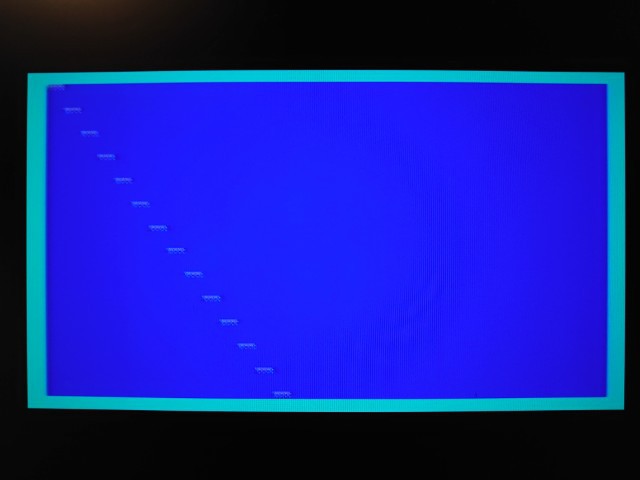
    Actually, they appear like this:

    And this doesn't happen with any other video mode—only with SCREEN7 and 8.

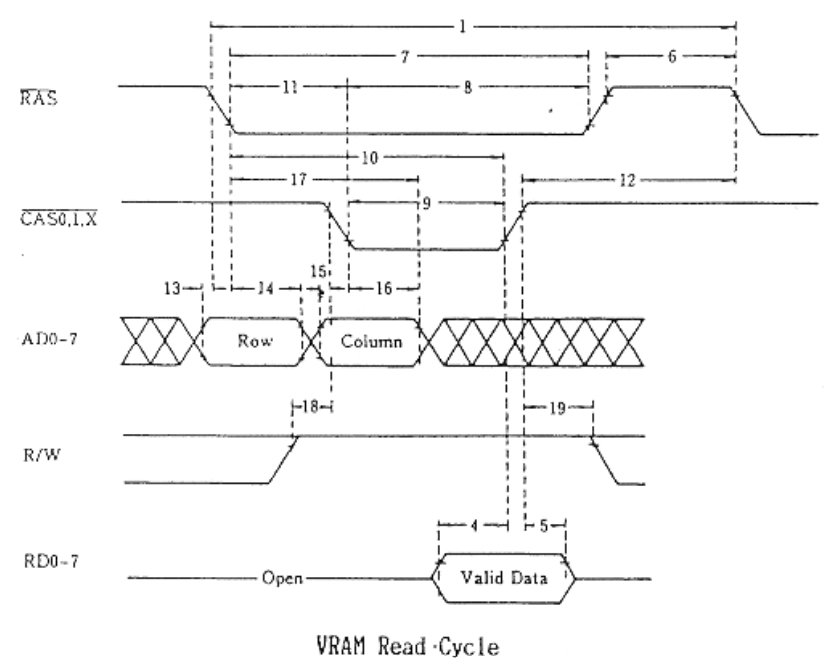
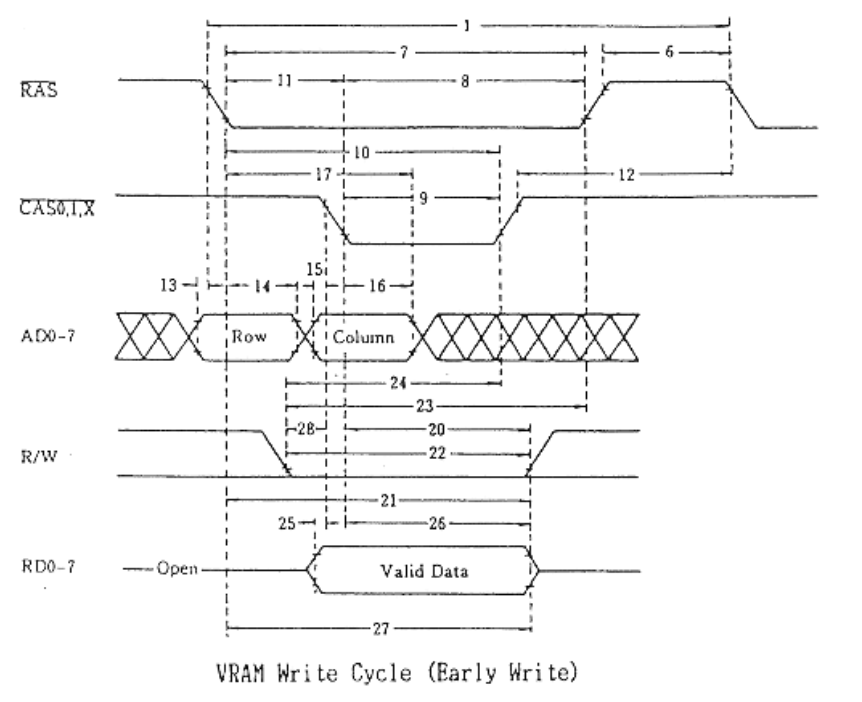
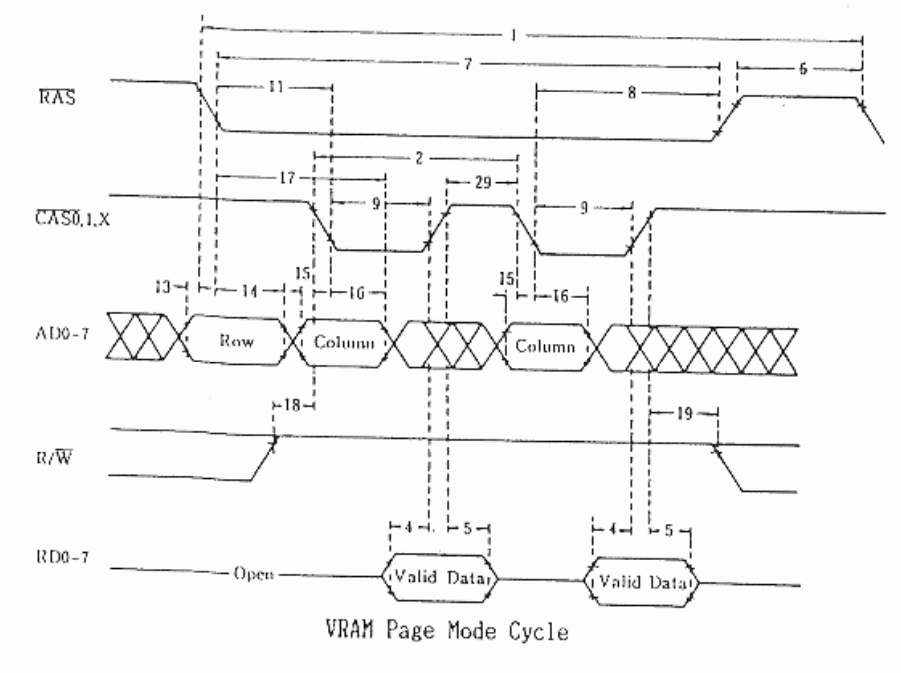
    Well, then. I based the project on the Yamaha V9958 datasheet and another project. Following the datasheet, video memory should be accessed as follows:

    Looking at the figure “VRAM Page Mode Cycle,” you can see how the chip behaves when different pages are accessed using a partially identical address (/RAS remains the same).

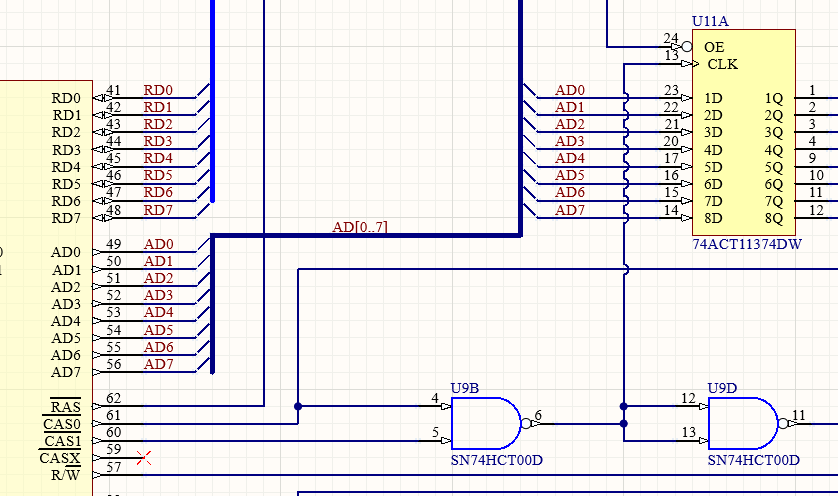
    But from my perspective, the /CAS0 signal is activated, and the first page is read on the AD7-0 bus. Then, /CAS0 is deactivated, and some time later (reference 29), the /CAS1 signal is activated (or /CASX, depending on the page).

    And my circuit was designed for this.

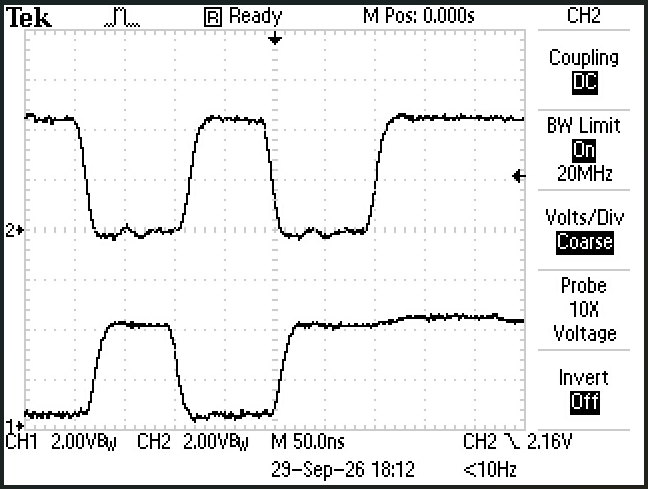
    BUT… when the system is set to SCREEN8, the /CAS0 pin is deactivated at virtually the same time that /CAS1 is activated. And these two signals drive a NAND gate that generates the clock signal for a latch.

    /CAS0 and /CAS1 signals
    /CAS0 and /CAS1 signals

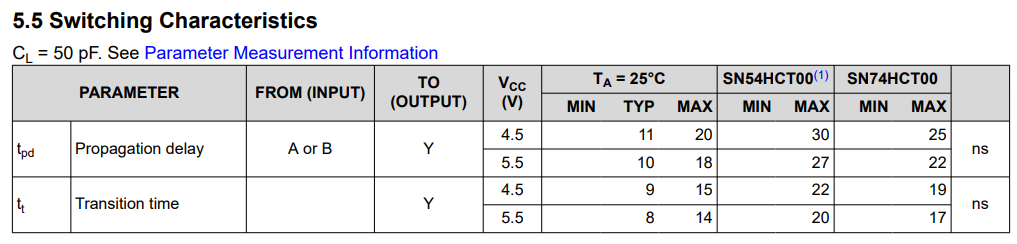
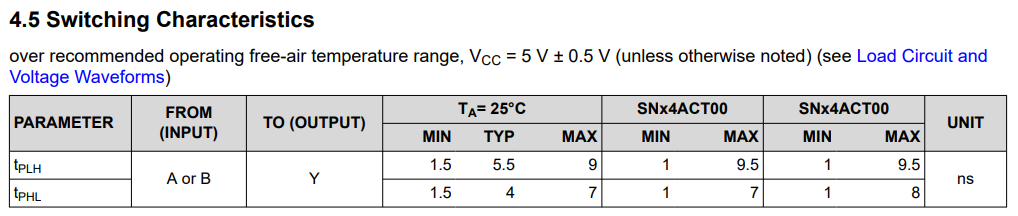
    My oscilloscope is very slow, but it seems to me that the time between the transitions on the /CAS0 and /CAS1 pins is too short for the 74HCT00. It’s nowhere near the time specified as (29) in the datasheet (70 ns).

    Well, to be fair, the datasheet shows the behavior of ONE signal, even though it groups the three /CAS pins on the same line. Very, very confusing.

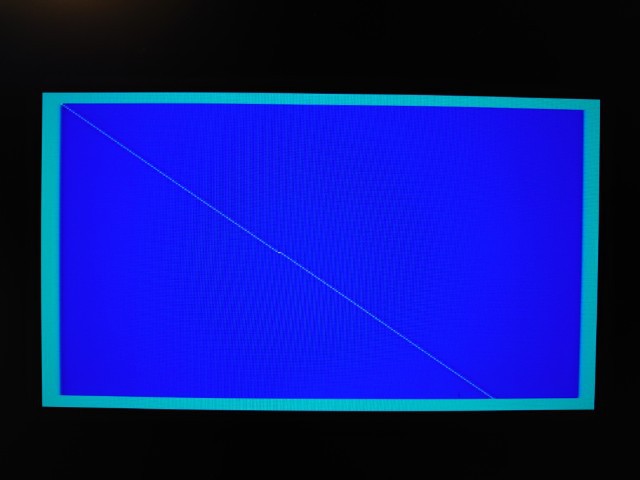
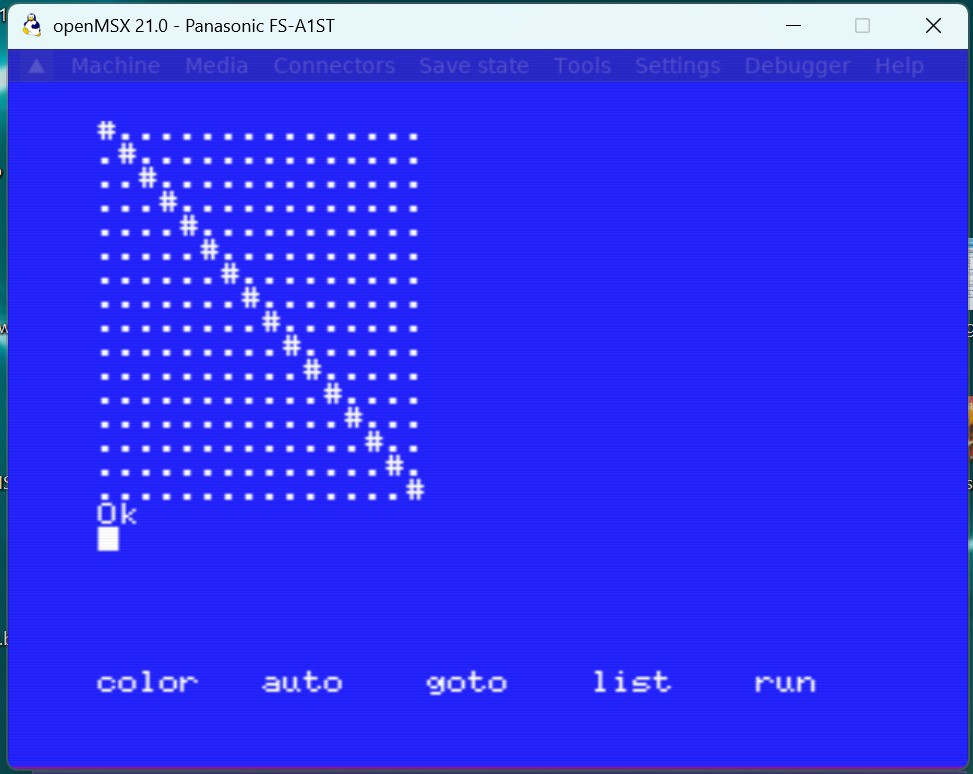
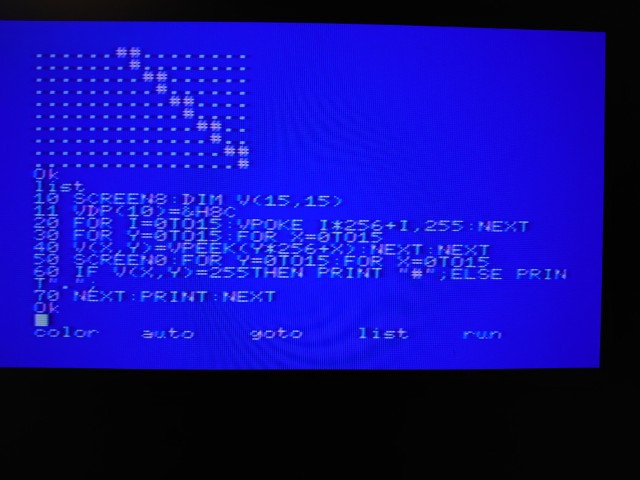
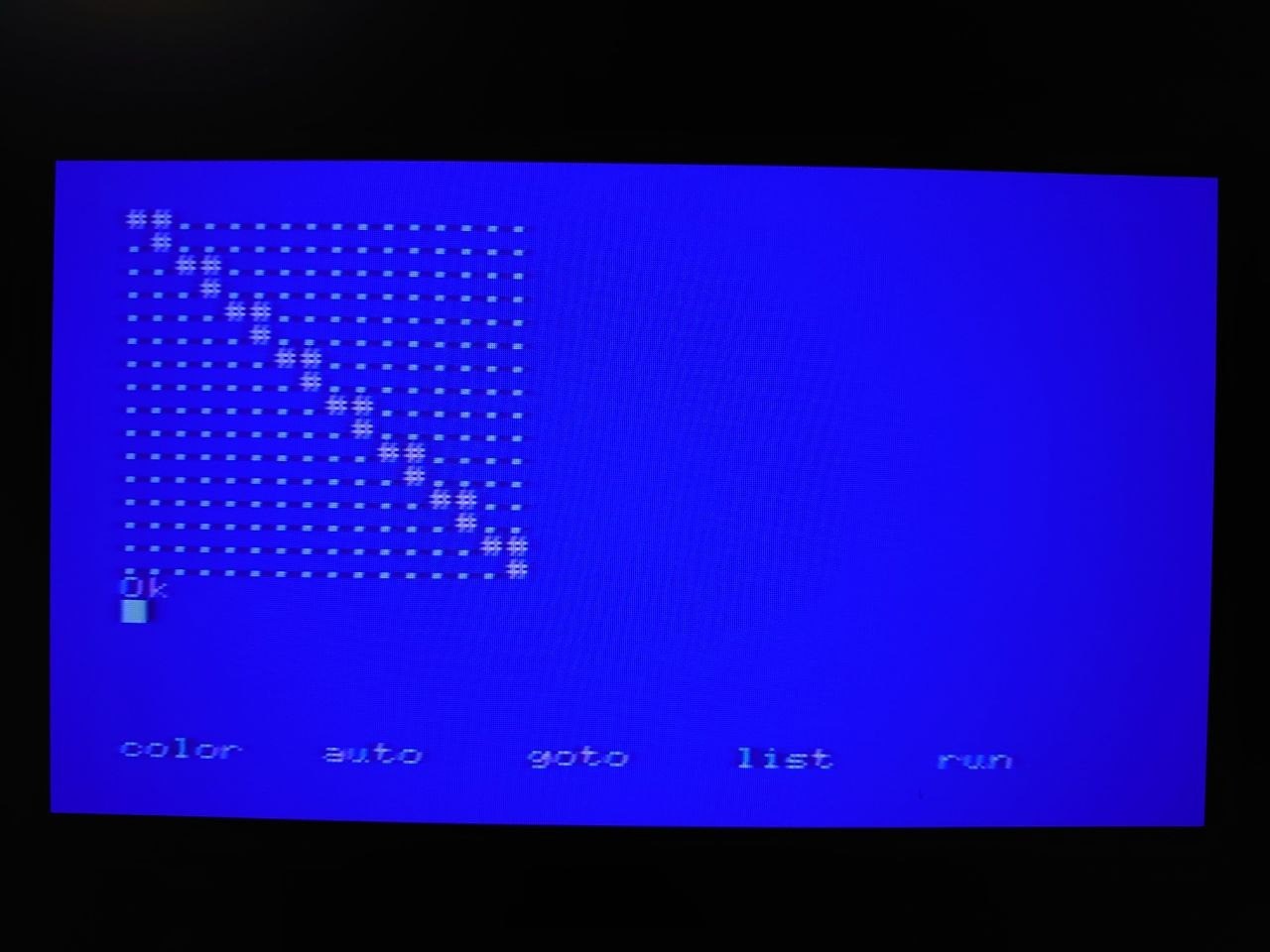
    I wrote a small test program to check the VRAM.  The result should look like this:

    But this is what appeared on the screen:

    Since misfortune never comes alone, while I was testing to find the problem, I BURNED OUT one of the V9958s! And now I only have one left. «Insert sad face here»

    Well, let’s see what I can do.

    Maybe I’ll swap out the 74HCT00 (typical propagation time of 11 ns) for the 74ACT00 (5.5 ns). Even considering the maximum times, the ACT family is at least twice as fast.

    Or maybe a delay circuit on the /CAS1 lane.

    For now, I think I'll focus on finishing the SD card emulation, since the text modes work perfectly.

  • And Now for Something Completely Different

    Marcellus Pereira • 09/19/2026 at 18:03 • 0 comments

    Attention! Fanservice alert!

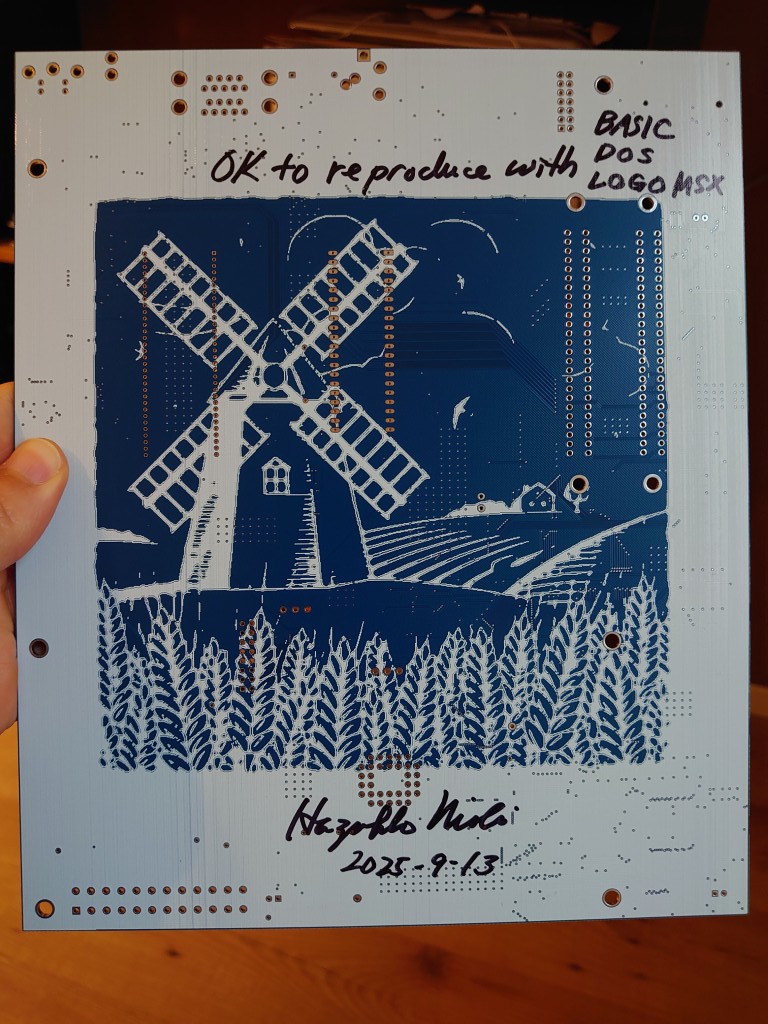
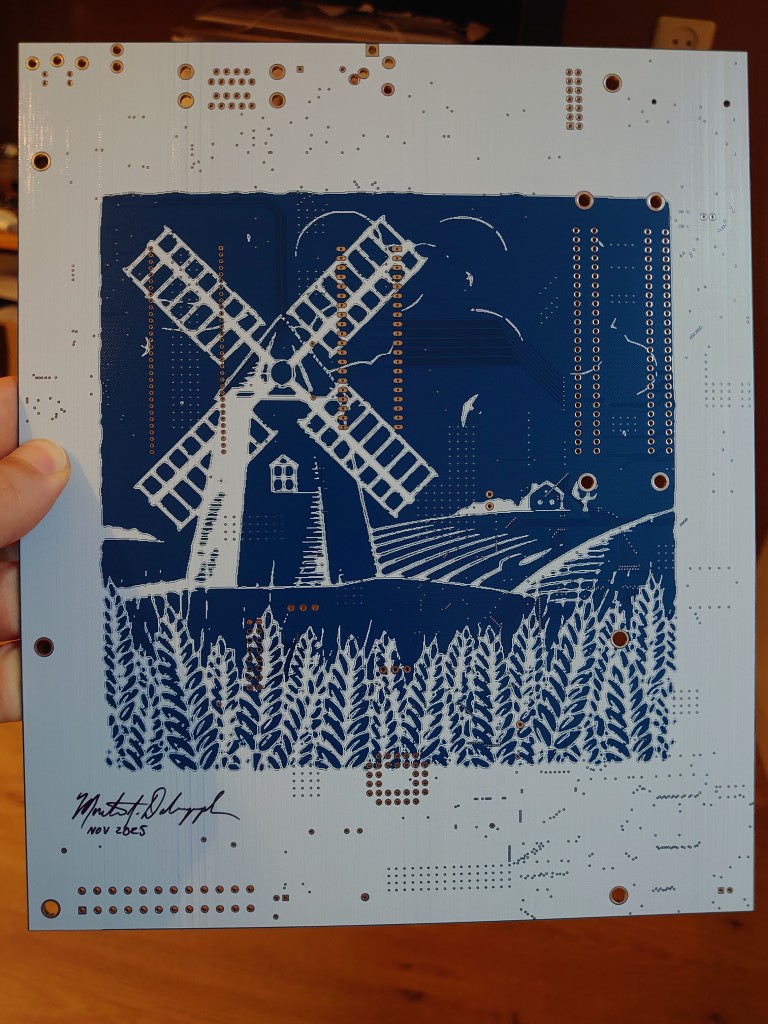
    Let’s put the technical stuff aside for a minute—I have two cool things to show you. The PCBs I’m holding are from the previous prototype; the current model is a little different.

    The first one was kindly signed by none other than Mr. Kazuhiko Nishi himself! I showed him the project during the MSX2 GOTO 40 event last September. It was quite the event, and Nishi-sama was kind enough to autograph my prototype board!

    The second one is also very special. It was kindly autographed by Mr. Monte Dalrymple, architect and designer of the Z380! And the Z180-clone in the Juno mission! And a lot of other cool stuff!

    HOW... COOL... IS... THAT?!?!

  • "A clear conscience is the sure sign of a bad memory."

    Marcellus Pereira • 09/19/2026 at 17:16 • 0 comments

    What seemed to have already been resolved actually turned out to be a little more complicated.

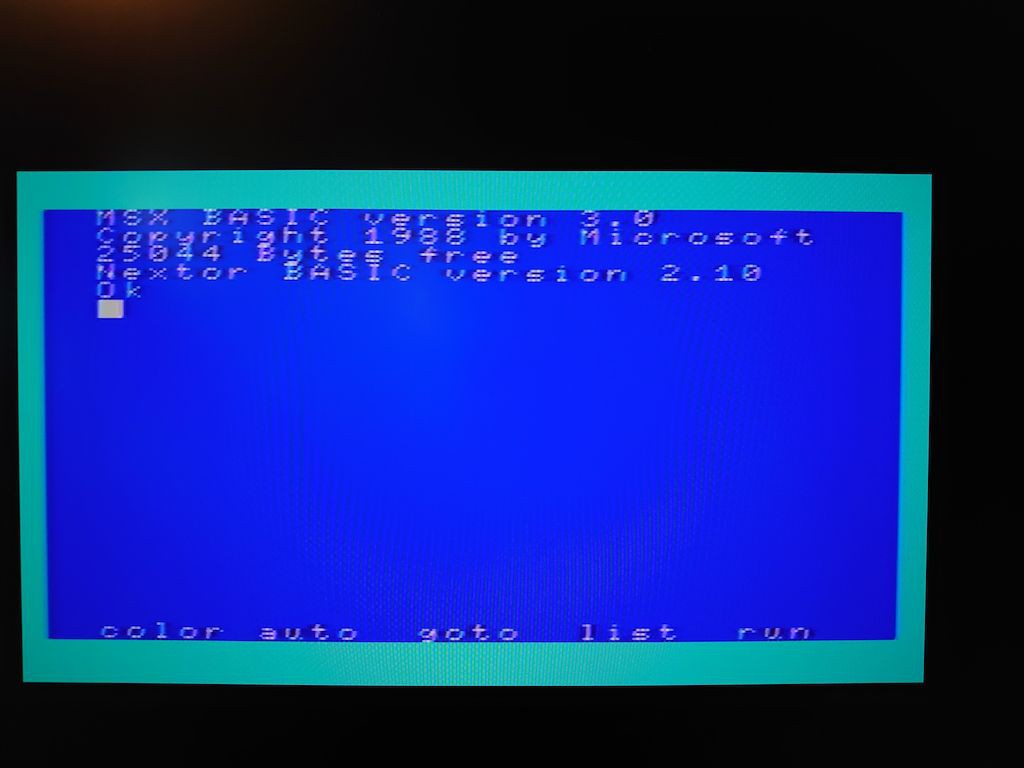
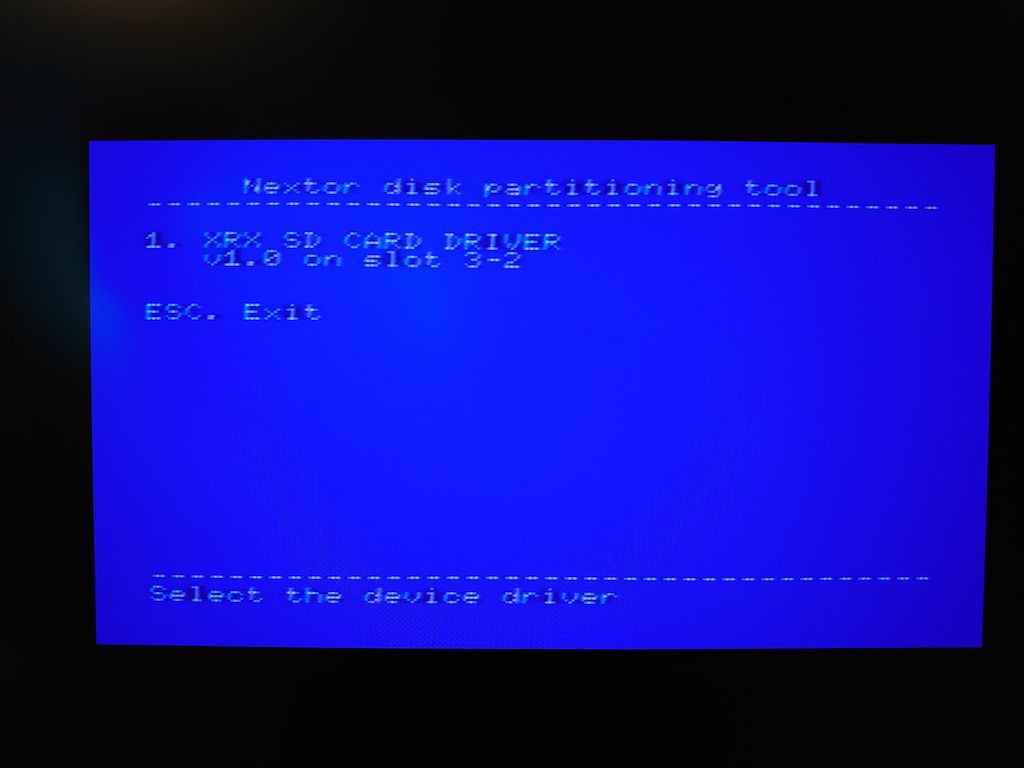
    Until the last update, I was using version 2.1 of Nextor. And although the system booted normally and was even able to list the SD Card Driver, I couldn’t read or write data to it.

    At that point, I was struggling with creating the Nextor driver in Z380 assembly and creating the firmware for the STM32.

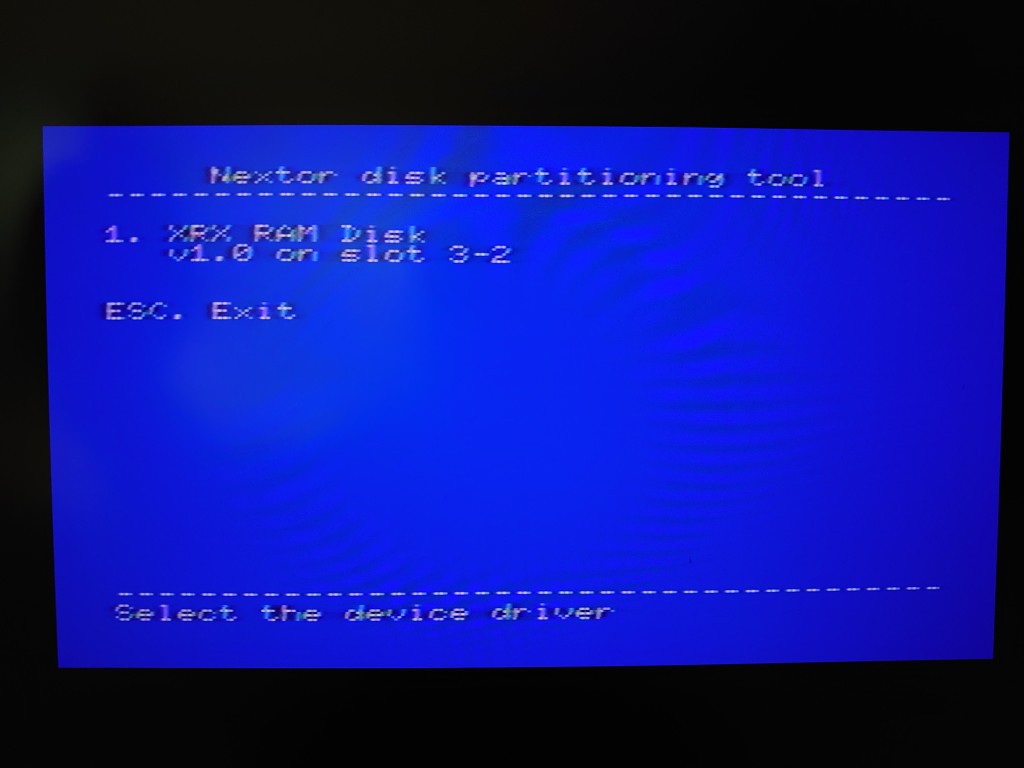
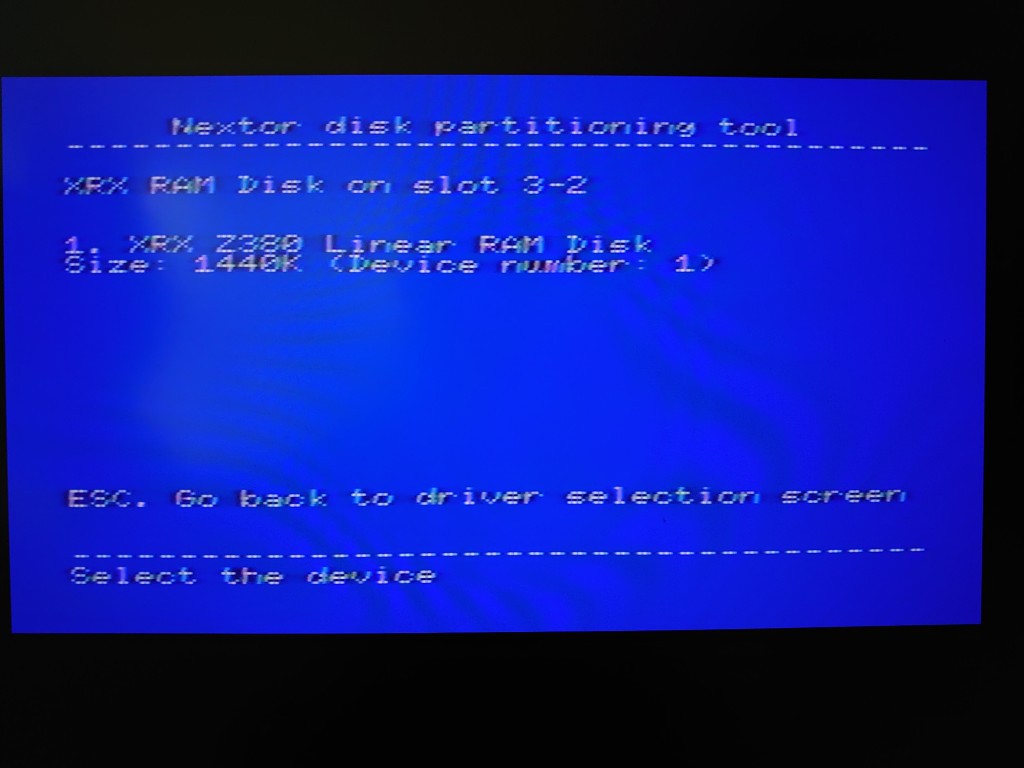
    I decided to take a step back. Instead of having a driver access the SD card, why not create something simpler that writes data to RAM (after all, we have plenty of RAM in this project). That was the first mistake: I wanted a “RAM DISK DRIVE,” but version 3 of Nextor supports “RAM DRIVERS.”

    Spoiler alert: They’re not the same thing.

    Nextor 3 supports drivers that are loaded into RAM, rather than being precompiled with the rest of the kernel. This confusion cost me a couple of hours.

    In the end, I decided to switch to Nextor version 3 (even though it’s still in beta) and adapted the dummy driver that comes as an example. The result? >>Insert a happy face here!<<

    Now I can read from and write to the “disk” that resides in RAM. That’s a big step—I’ve solved half the problem. Now I just need to get the SD Card API working properly.

    BTW, the quote is not mine. Blame Mark Twain.

  • Mass storage?

    Marcellus Pereira • 09/06/2026 at 18:06 • 0 comments

    After a few days with no progress, I managed to get Nextor running! At least, I managed to get it to display some messages on the screen...

    It turns out that the penultimate step to finishing this board is getting a working file system. Remember that the RTC and the SD card are emulated by the STM32 microcontroller, which added another layer of complexity to my life.

    It turns out that even though the STM32 runs at 32 MHz, there’s a latency between the interrupt generated on an I/O pin (when the Z380 requests access to the RTC or the SD card) and when the routine on the STM32 accesses the data on the bus. I had to add a few WAIT cycles every time an I/O instruction is executed.

    And there’s yet another problem—a much more interesting one. The Z380 has different clock domains for memory operations and I/O operations. This, combined with the pipeline, creates a major problem for using this processor in MSX machines. The switching of primary slots (as well as the switching of memory mapper pages) occurs during I/O operations. On the Z80, the slot (or memory page) is already selected immediately after OUT instructions. But on the Z380, the OUT instruction can take a while to execute (because the clock used for it is the IOCLK, while the clock used to access memory is the BUSCLK). So, the pipeline fetches and executes the next instruction AFTER the OUT instruction and executes it right away. And then another instruction. And then another. And one more thing. It can happen that the MSX BIOS expects to execute an instruction in a different slot (or mapped memory page), while on the Z380 the instruction being executed by the pipeline is still in the same slot (or mapped memory page) as before.

    So, I had to check all the BIOS calls that change slots and find a way to “delay” the pipeline. Actually, my first attempt was to insert 24 “NOP” instructions and see what happened… it worked, but there isn’t much free space in the BIOS for that kind of experiment.

    “Luckily,” an OUT instruction doesn’t affect the pipeline, but an IN instruction does! Since the pipeline doesn’t know what the programmer intends when reading an I/O port, it has to wait for that data to become available before continuing program execution. So, instead of 24 NOPs, just one IN instruction is enough! Even so, there isn’t much space available… and I had to squeeze blood from a stone.

    But now it looks like I have Nextor up and running. Or, at least, booting up!

  • On Your Marks, Get Set... RET

    Marcellus Pereira • 08/31/2026 at 21:24 • 0 comments

    (This entry was written by Claude, because I'm really tired. Or because he got complete control of the computer.)

    The goal for this stretch was simple to state and, as it turns out, brutal to achieve: get Nextor— a real DOS, real FAT filesystem, real SD card access — booting on XRX. No more toy test ROMs. A machine that can actually load and save files.

    It did not go well. Then it went a little better. Then it went worse in a genuinely educational way. Here's the play-by-play.

    Three ghosts in the same machine

    The symptom was the same every time: boot animation plays fine, then either a frozen blue screen (keyboard still alive — the kana LED blinks, so the CPU hadn't actually halted, it had just wandered off somewhere useless) or, later, a green screen full of vertical noise followed by a hard reset.

    Chasing it turned up not one bug but three separate instances of the same bug, in three unrelated pieces of code:

    1. The BIOS's own handoff back from a cartridge's INIT routine.
    2. Nextor's kernel bank-switch trampoline, CHGBNK — four bytes of LD (6000h),A / RET, padded to a fixed 48-byte slot with $FF.
    3. ENASLT, the stock MSX slot-enable routine at $0024 — used by everything, not just Nextor.

    All three share the same shape: write a slot-select register, then return (or jump) immediately, with zero delay. All three are 1988-vintage code written for a Z80 that never needed to think about this. XRX's CPLD only latches those registers on a BUSCLK edge, and the Z380 — being considerably less patient than a Z80 — doesn't wait around for that edge before racing ahead into whatever comes next.

    Two of the three we fixed by literally patching a delay into the offending routine (DRV_INIT's own settle pad, and 24 NOPs spliced into CHGBNK's dead padding). Real, measurable progress each time — the failure point kept moving further into boot.

    The detour into the swamp

    Before settling on "just patch the code," I spent a good chunk of a session trying to fix this properly, once, in the CPLD, so nobody would ever have to think about it again. Three attempts. Three failures, each for a different, increasingly humbling reason:

    • Reuse the keyboard's existing 1-cycle /WAIT stall — too slow to react, by design (its own detection logic costs two clock edges it doesn't have to spare).
    • Reuse the VDP's wide ~8.4µs stall instead — wrong clock domain entirely. It's counted on IOCLK, and a 0-wait-state memory write can be narrower than one IOCLK period. The window never mattered because it likely never armed.
    • A brand-new, carefully-reasoned counter, correctly clocked this time, that got past the fitter (F38103, twice, for the curious — GLB budgets on this chip are perpetually one signal too small) and reflashed clean... and made the board worse. Back to the original permanent freeze.

    Reverted all three. Filed under "the hardware fix that fixes everything is usually the hardware fix that breaks something you didn't know depended on the bug."

    Reading the Z380 like a legal contract

    The Product Specification has a paragraph that turned out to matter more than anything else this session:

    "All I/O bus transactions start on a rising edge of IOCLK... there may be up to n BUSCLK cycles of latency between the execution unit request for the transaction and the transaction actually starting."

    Translation: an OUT doesn't just take a while — it takes a while on a different clock than everything else, and the CPU doesn't wait for it to land before moving on. I built two tiny probes into the hardware-test ROM to check this directly against silicon instead of trusting the datasheet blindly: one scoped whether a memory read starts before a preceding OUT's bus cycle finishes (it does — they overlap), one compared a register read immediately after an IN against the same register 128 NOPs later (identical — reads, unlike writes, can't get away with being lazy, because the very next instruction depends on the result).

    Armed with that, I went looking for ENASLT's actual weak...

    Read more »

View all 25 project logs

Enjoy this project?

Share

Discussions

Similar Projects

Does this project spark your interest?

Become a member to follow this project and never miss any updates