-
X35G AX200 WIFI
08/22/2022 at 03:48 • 0 commentsWhen setting up Minisforum X35G NUC as a OpenWRT router I faced an issue with the Intel AX200 Wifi.
Before going thru the whole install, I tested the X35G with OpenWRT on a USB drive.
At the time, I was able to install the required driver for the AX200 card. I used the mainline firmware since not avaiable as a OpenWRT package. I tested speed and bandwidth correctly with my laptop.When I setup OpenWRT in the nvme storage, iwlwifi starting crapping out.
[    0.000000] Linux version 5.4.188
[...]
[    5.241045] Intel(R) Wireless WiFi driver for Linux
[    5.242581] iwlwifi 0000:2c:00.0: enabling device (0000 -> 0002)
[    5.248109] iwlwifi 0000:2c:00.0: api flags index 2 larger than supported by driver
[    5.250556] iwlwifi 0000:2c:00.0: TLV_FW_FSEQ_VERSION: FSEQ Version: 89.3.35.22
[    5.253192] iwlwifi 0000:2c:00.0: loaded firmware version 59.601f3a66.0 cc-a0-59.ucode op_mode iwlmvm
[    5.260577] iwlwifi 0000:2c:00.0: Detected Intel(R) Wi-Fi 6 AX200 160MHz, REV=0x340
[...]
[   40.039878] iwlwifi 0000:2c:00.0: Microcode SW error detected. Restarting 0x0.
[   40.041965] iwlwifi 0000:2c:00.0: Start IWL Error Log Dump:
[   40.043777] iwlwifi 0000:2c:00.0: Status: 0x00000040, count: 6
[   40.045501] iwlwifi 0000:2c:00.0: Loaded firmware version: 59.601f3a66.0 cc-a0-59.ucode
[   40.046489] iwlwifi 0000:2c:00.0: 0x00000071 | NMI_INTERRUPT_UMAC_FATAL
[   40.047478] iwlwifi 0000:2c:00.0: 0x000022F1 | trm_hw_status0
[   40.048540] iwlwifi 0000:2c:00.0: 0x00000000 | trm_hw_status1
[   40.049545] iwlwifi 0000:2c:00.0: 0x004FAA36 | branchlink2
[   40.050605] iwlwifi 0000:2c:00.0: 0x000145FA | interruptlink1
[   40.051666] iwlwifi 0000:2c:00.0: 0x000145FA | interruptlink2
[   40.052662] iwlwifi 0000:2c:00.0: 0x0000F9E2 | data1
[   40.053711] iwlwifi 0000:2c:00.0: 0x00001000 | data2
[   40.054775] iwlwifi 0000:2c:00.0: 0x00000000 | data3
[   40.055790] iwlwifi 0000:2c:00.0: 0x00000000 | beacon time
[   40.056800] iwlwifi 0000:2c:00.0: 0x00416296 | tsf low
[   40.057817] iwlwifi 0000:2c:00.0: 0x00000000 | tsf hi
[   40.058746] iwlwifi 0000:2c:00.0: 0x00000000 | time gp1
[   40.059733] iwlwifi 0000:2c:00.0: 0x0041B92D | time gp2
[   40.060716] iwlwifi 0000:2c:00.0: 0x00000001 | uCode revision type
[   40.061700] iwlwifi 0000:2c:00.0: 0x0000003B | uCode version major
[   40.062666] iwlwifi 0000:2c:00.0: 0x601F3A66 | uCode version minor
[   40.063603] iwlwifi 0000:2c:00.0: 0x00000340 | hw version
[   40.064574] iwlwifi 0000:2c:00.0: 0x00C89000 | board version
[   40.065527] iwlwifi 0000:2c:00.0: 0x0200001C | hcmd
[   40.066382] iwlwifi 0000:2c:00.0: 0x00120000 | isr0
[   40.067211] iwlwifi 0000:2c:00.0: 0x00000000 | isr1
[   40.068050] iwlwifi 0000:2c:00.0: 0x08F80002 | isr2
[   40.068877] iwlwifi 0000:2c:00.0: 0x04C20018 | isr3
[   40.069761] iwlwifi 0000:2c:00.0: 0x00000000 | isr4
[   40.070523] iwlwifi 0000:2c:00.0: 0x0031019C | last cmd Id
[   40.071261] iwlwifi 0000:2c:00.0: 0x0000F9E2 | wait_event
[   40.072026] iwlwifi 0000:2c:00.0: 0x00000000 | l2p_control
[   40.072794] iwlwifi 0000:2c:00.0: 0x00000820 | l2p_duration
[   40.073573] iwlwifi 0000:2c:00.0: 0x00000000 | l2p_mhvalid
[   40.074334] iwlwifi 0000:2c:00.0: 0x00008000 | l2p_addr_match
[   40.075091] iwlwifi 0000:2c:00.0: 0x00000009 | lmpm_pmg_sel
[   40.075839] iwlwifi 0000:2c:00.0: 0x00000000 | timestamp
[   40.076580] iwlwifi 0000:2c:00.0: 0x00002874 | flow_handler
[   40.077350] iwlwifi 0000:2c:00.0: Start IWL Error Log Dump:
[   40.078045] iwlwifi 0000:2c:00.0: Status: 0x00000040, count: 7
[   40.078746] iwlwifi 0000:2c:00.0: 0x20003207 | ADVANCED_SYSASSERT
[   40.079484] iwlwifi 0000:2c:00.0: 0x00000000 | umac branchlink1
[   40.080229] iwlwifi 0000:2c:00.0: 0x804568FC | umac branchlink2
[   40.080970] iwlwifi 0000:2c:00.0: 0xC0084F3C | umac interruptlink1
[   40.081764] iwlwifi 0000:2c:00.0: 0x00000000 | umac interruptlink2
[   40.082507] iwlwifi 0000:2c:00.0: 0x00033907 | umac data1
[   40.083220] iwlwifi 0000:2c:00.0: 0xDEADBEEF | umac data2
[   40.083959] iwlwifi 0000:2c:00.0: 0xDEADBEEF | umac data3
[   40.084704] iwlwifi 0000:2c:00.0: 0x0000003B | umac major
[   40.085471] iwlwifi...
Read more -
RS232 DB9 Pinout
11/16/2020 at 08:52 • 0 commentsIt seems I always struggle with RS232 DB9 pinout. This page is to track it.
A good reference for DB9 can be found in FTDI RS232 Cable. See Datasheet page 17.
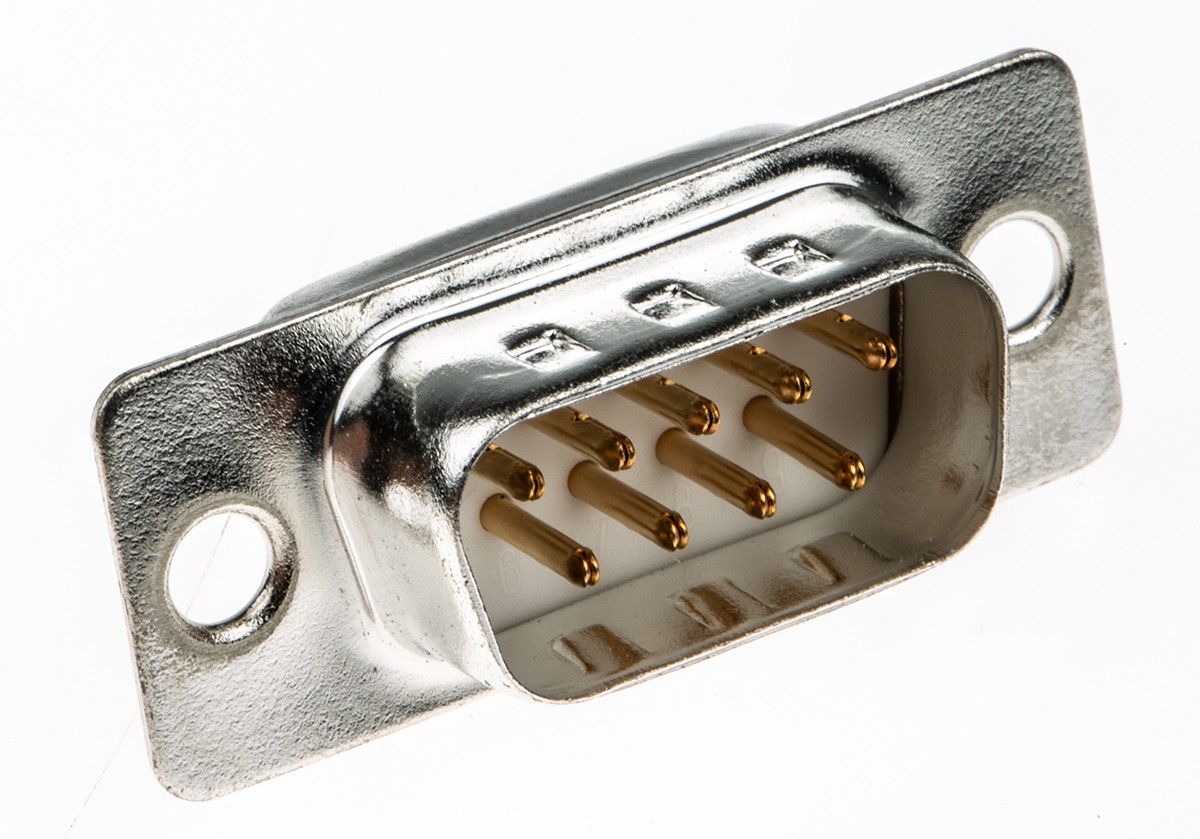
The RS232 connector (Male) has the following pinout, i.e configured as a Data Terminal Equipment (DTE).

Male DB9 RS232 Pin Type Description 1 Input DCD = Data Carrier Detect 2 Input RXD = Receive Data 3 Output TXD = Transmit Data 4 Output DTR = Data Terminal Ready 5 Ground GND = RS232 signal ground 6 Input DSR = Data Set Ready 7 Output RTS = Request To Send 8 Input CTS = Clear To Send 9 Input / Power RI = Ring Indicator
The device this adapter connects to should follow the following pinout.
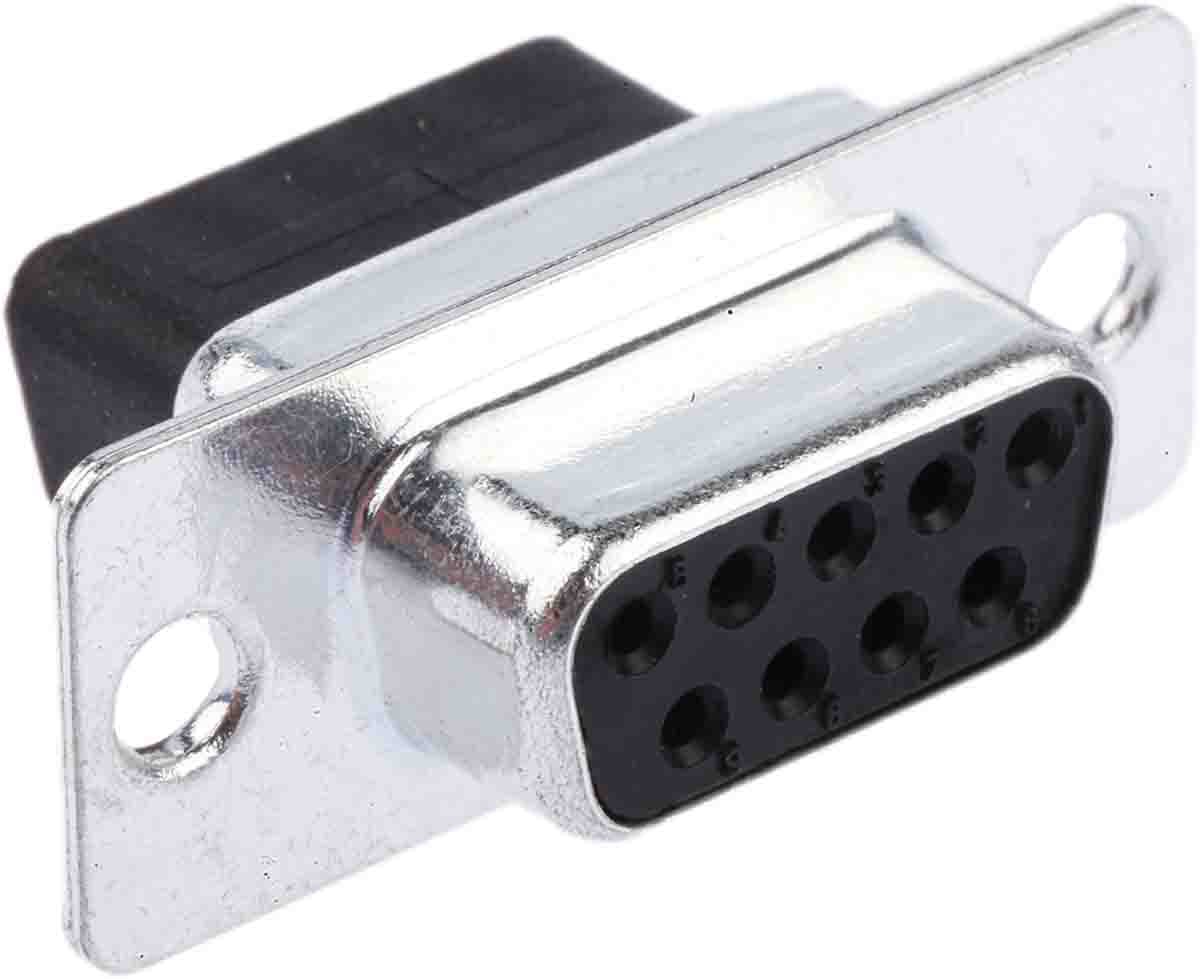
The RS232 device connector is then female, configured as Data Communication Equipment (DCE).

Female DB9 RS232 Pin Type Description 1 Output DCD = Data Carrier Detect 2 Output RXD = Receive Data
Aka Device Transmit pin (DT-in/DC-out)3 Input TXD = Transmit Data
Aka Device Receive pin (DT-out/DC-in)4 Input DTR = Data Terminal Ready 5 Ground GND = RS232 signal ground 6 Output DSR = Data Set Ready 7 Input RTS = Request To Send
(DT-out/DC-in)8 Output CTS = Clear To Send
(DT-in/DC-out)9 Input / Power RI = Ring Indicator
The data flow in summarized as follow.
DTC to DCE -
Dell Precision 3541 Review
09/29/2019 at 02:10 • 0 commentsI selected the Precision 3541 with the following configuration :
- Intel i5-9400H
- Intel GPU
- 97Wh battery
I upgraded to the following memory and SSD :
One thing I was looking for was to be able to play 4K UHD HDR movies. I assume the on-board HDMI 2.0 would be able to support it. I should have done my research before as HDR is only supported on HDMI 2.0a.
The Type-C port allows a lot of versatility. Using a Type-C to HDMI 2.0b adapter, I am able to play 4K UHD HDR 10bit @ 30Hz. The color space is reduced if the refresh rate is increased to 60Hz. See UPTab USB C to HDMI 2.0b Active HDR Adapter 4K 60Hz.
Benchmark
The i5-9400H is integrated with a 35W profile as listed in Intel TDP-down configuration. I was interested to find how this TDP-down was performed.
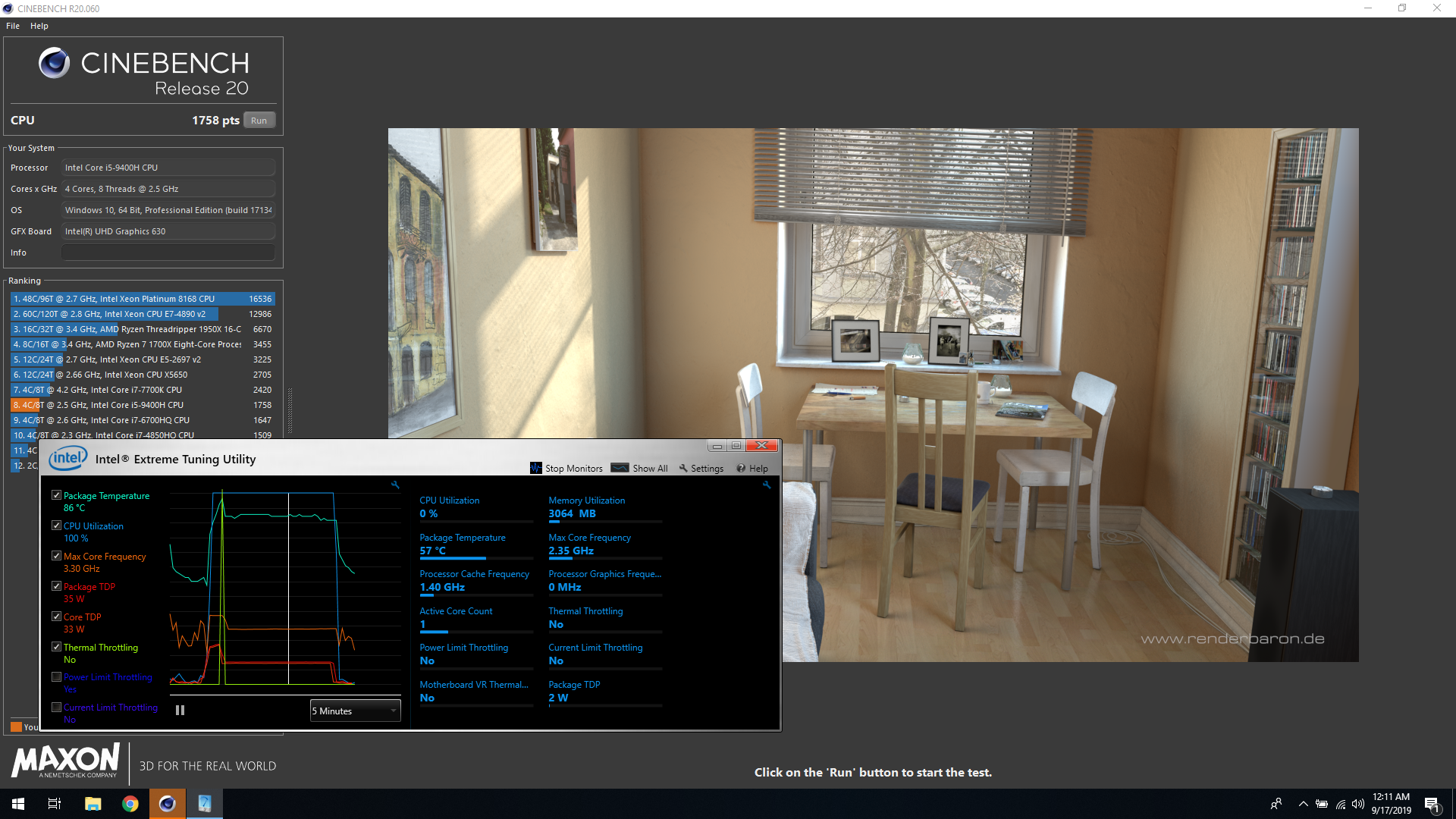
By default the Turbo Boost Max Power is set to 35W. This limit can be changed with Intel Extreme Tuning Utility (XTU).
Summary :
- Cinebench R20 @ 35W : 1758pts
- Temp 86°C
- Freq 3.30 GHz
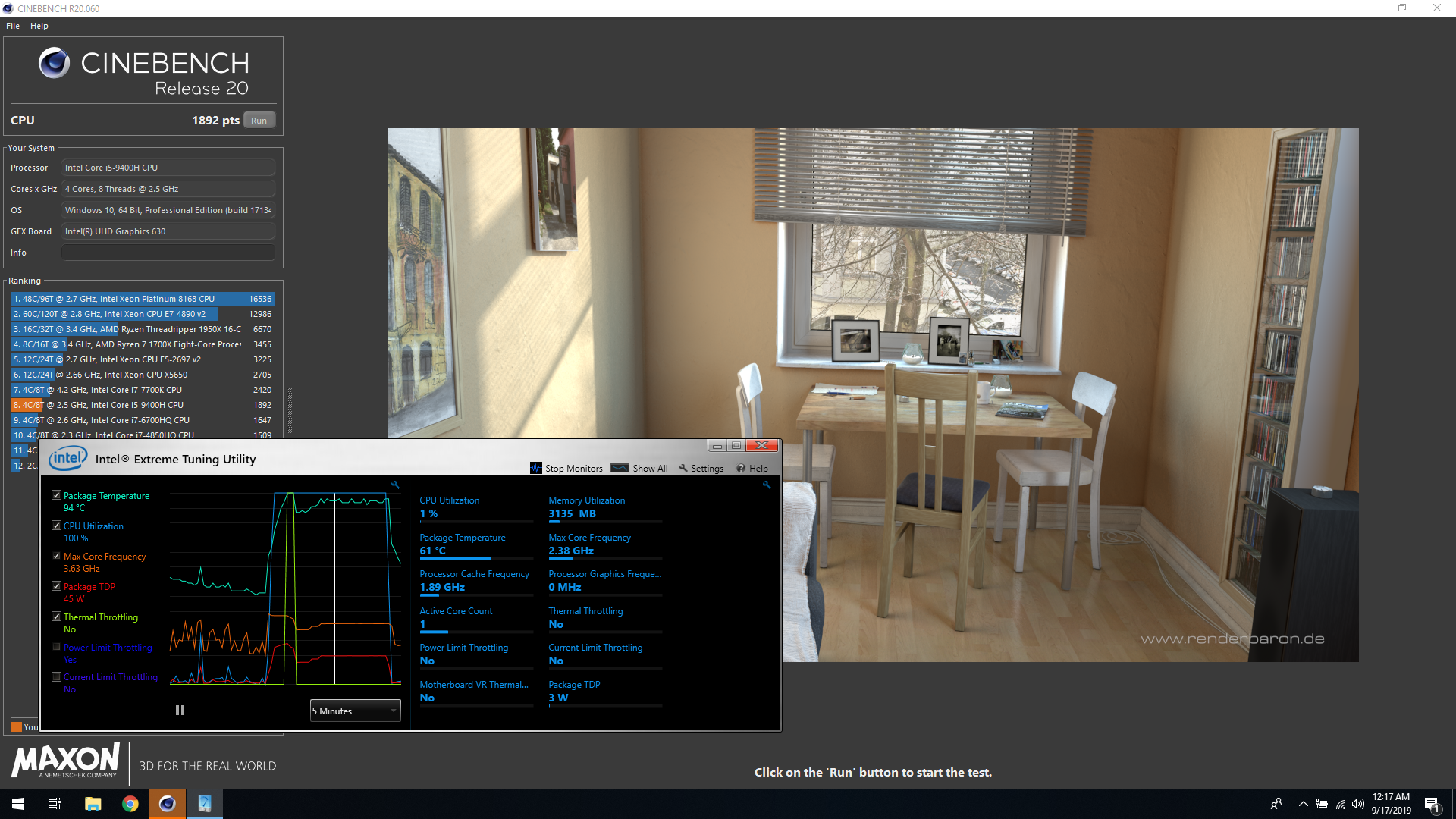
- Cinebench R20 @ 45W : 1892pts
- Temp 94°C
- Freq 3.63 GHz


Increasing the TDP to 45W needs to be done manually. How it is reset to 35W is unknown. The configuration shown by Intel XTU shows 45W Turbo Boost Max Power but the system runs at 35W.
Note on the cooling solution :
- On Intel GPU system, there is only 1 heat pipe from the CPU to the fan assembly
- The fan speed let the system heat up before ramping up. The balance between fan noise and heat is always a challenge.
- Rising the laptop from the table leads to better temp : 78°C after Cinebench @ 35W
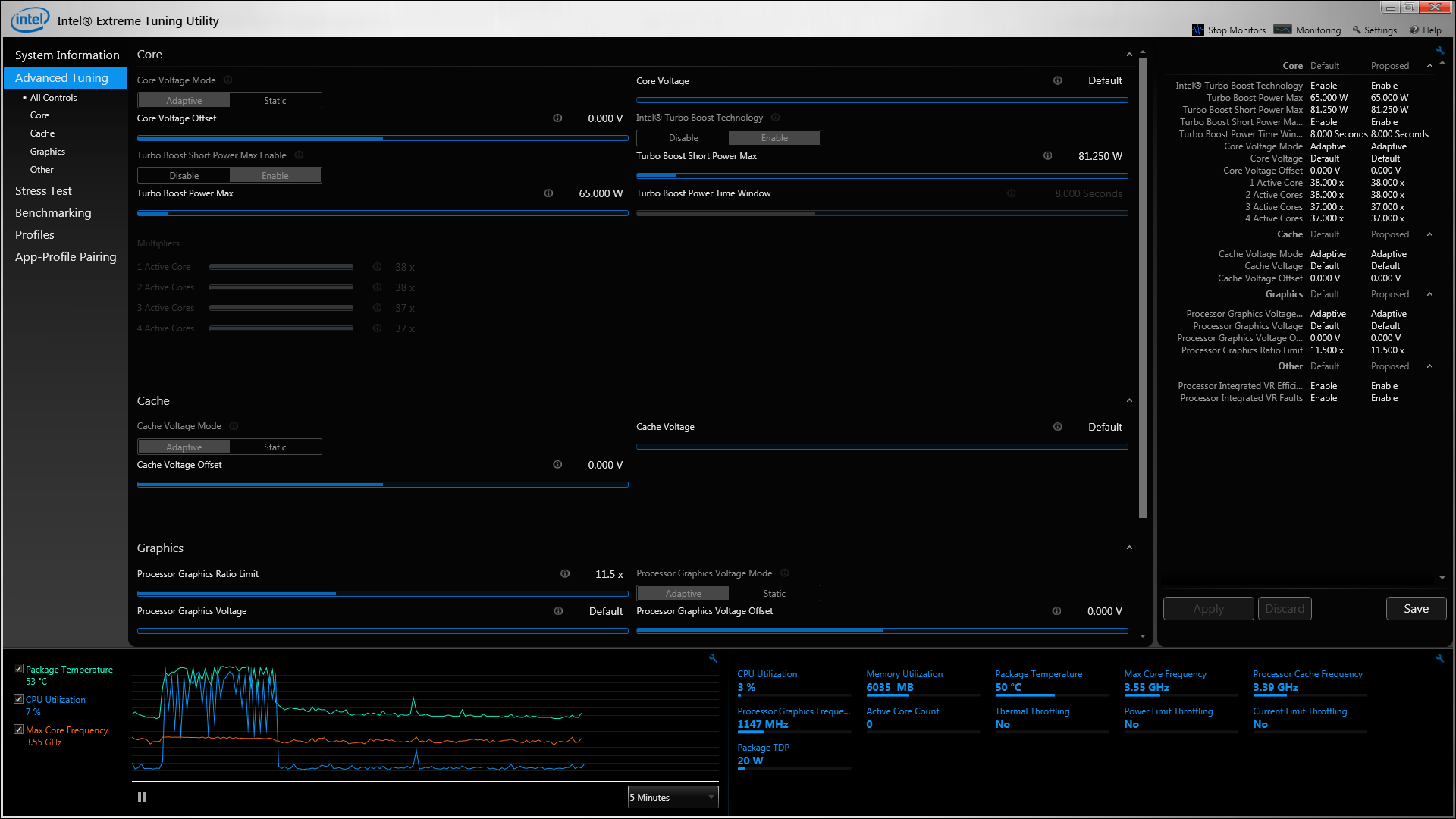
Intel XTU shows the different CPU settings for the i5-9400H
![]()
-
Zotac EI751 Repasting
12/09/2018 at 00:49 • 0 commentsI got my EI751 at the beginning of 2016. After 2.5 years it was becoming a bit loud and hot.
I got around to repasting it mid 2018, this is the log.
![]()
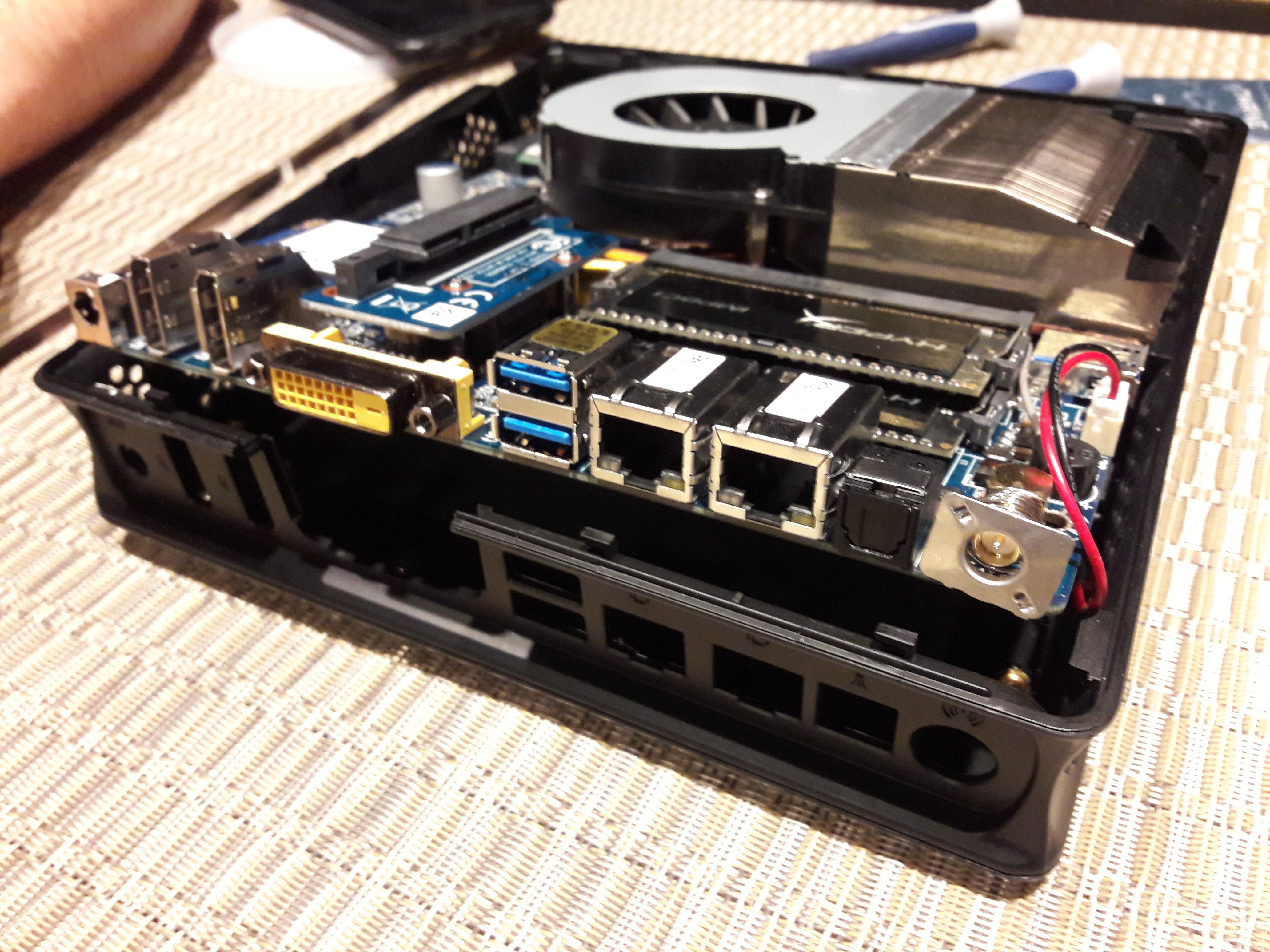
I removed the screws holding the board down. This voids the warranty which is not ideal. It was quite tricky to pull the board out. I ended bending the enclosure where the antenna connector is. The top cover is actually screwed to the main shell, don't try forcing anything.
![]()
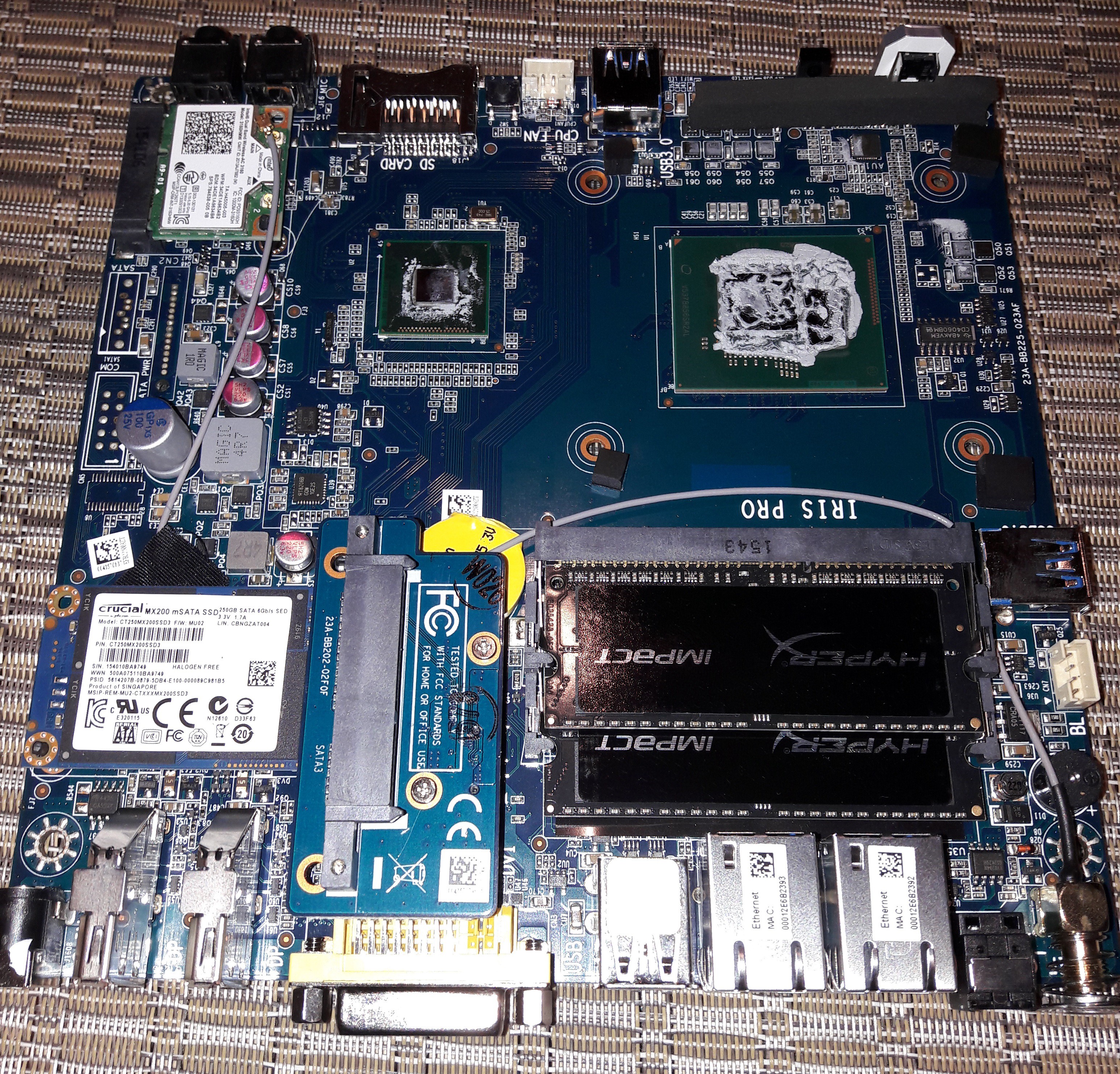
The fan comes off with a bit of force as thermal pad sticks to the heatsink and the board. Have some thermal pad to replace the old one, 1.5mm tick should do it. The heatsink cover the CPU and the PCH.
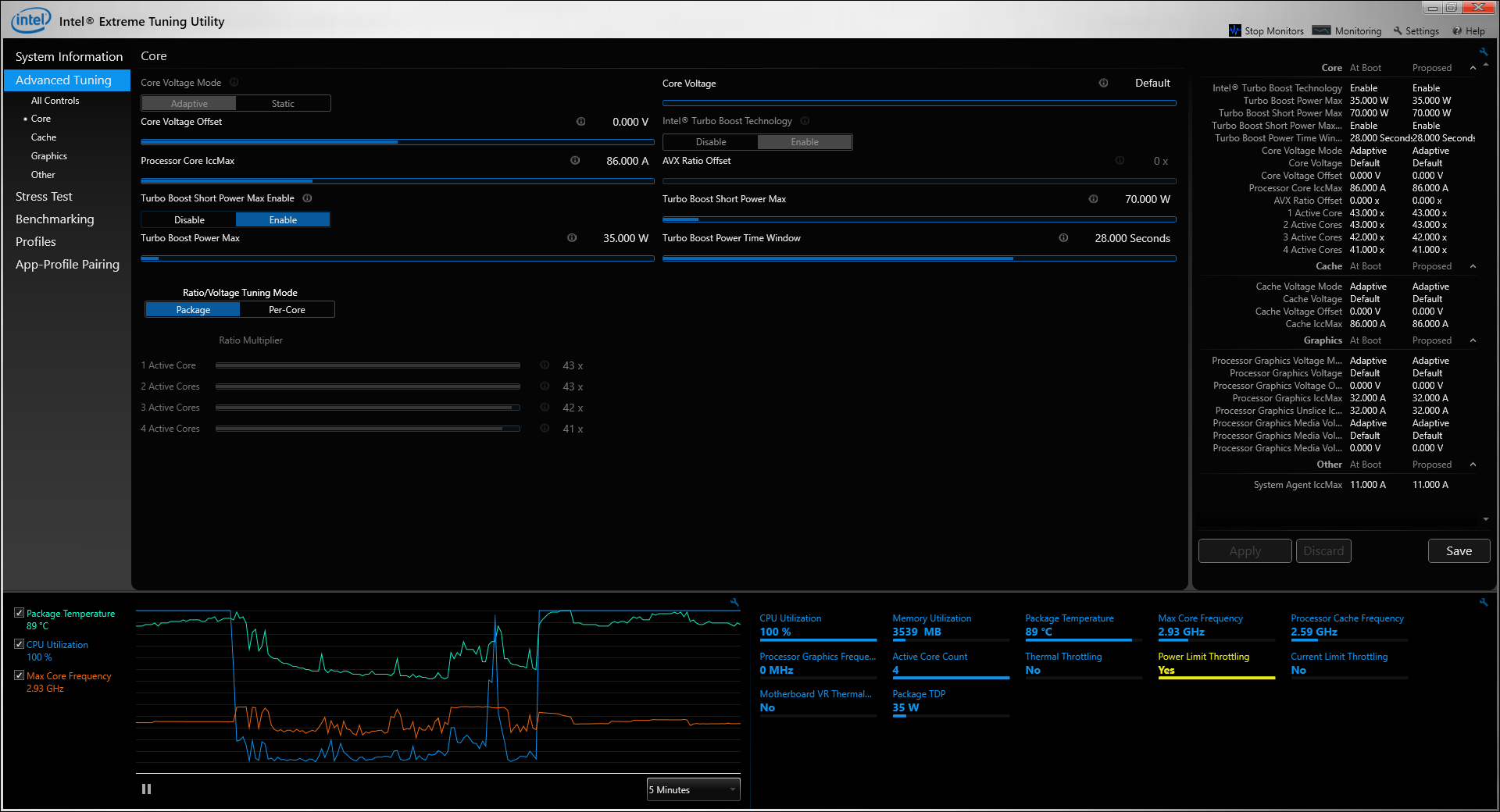
Testing with Intel XTU indicates thermal throttling and current limit throttling. Eventually a better cooling solution could be fitted ( would not use the standard case ). Then the actual power delivery may be the limiting factor. I may try to improve the cooling and build a custom case after I renew this computer.
Prim95 load leads to thermal throttling and power limit throttling. With a better colling and increasing power limits, the boost clocks could be maintained.
I wish there was more SATA slot as the single driver will not make the best media center. Improve cooling would go a long way to make this PC more silent to go by a TV.
![]()
Intel I7 5775R - Intel XTU Tuning Control.
-
OpenWRT Bridge Firewalling
07/17/2016 at 22:27 • 3 commentsI configured my OpenVPN to connect 2 network at layer 2. Since broadcast goes across the tunnel and the 2 network have their own dhcp server for their respective gateway. The dhcp packet should be filtered.
iptables -I zone_lan_forward -o br-lan -m physdev --physdev-out tap0 -p udp --dport 67:68 --sport 67:68 -j REJECT
iptables -I zone_lan_forward -i br-lan -m physdev --physdev-in tap0 -p udp --dport 67:68 --sport 67:68 -j REJECT
The system should be configured to enable bridge firewalling in /etc/sysctrl.config
net.bridge.bridge-nf-call-iptables=1
I configured the above setting on my custom OpenWRT 15.05 image and run into some issues.sysctl: error: 'net.bridge.bridge-nf-call-iptables' is an unknown key xt_physdev: Unknown symbol br_netfilter_enable (err 0) nf_conntrack: table full, dropping packet
I would like to avoid changing my kernel on my device, just adding kernel module.
Since I build my own image with only certain packages, the kernel doesn't have support for everything. On a clean build with the default configuration, the kernel only has CONFIG_BRIDGE=y. Support for bridge firewall is not enabled,CONFIG_BRIDGE_NETFILTER is not set.
The kernel configuration can be change to generate net/bridge/br_netfilter.ko module for the system which has it missing. OpenWRT doesn't have a package for that kernel module. It would need to be copied manually.
Add bridge firewalling support to iptables with iptables-mod-extra. The kmod-ipt-extra will have xt_physdev module because CONFIG_BRIDGE_NETFILTER is enabled in the kernel.
How does default OpenWRT image has the support for bridge firewalling in their images ?
OpenWRT enables all packages to be build which configure the kernel configuration with the required dependencies. When enabling ebtables package, the kernel configuration is overwritten with CONFIG_BRIDGE_NETFILTER=y.
build_dir/target-mips_34kc_uClibc-0.9.33.2/linux-ar71xx_generic/linux-3.18.36/.config.old:CONFIG_BRIDGE=y
build_dir/target-mips_34kc_uClibc-0.9.33.2/linux-ar71xx_generic/linux-3.18.36/.config.old:CONFIG_BRIDGE_NETFILTER=y
build_dir/target-mips_34kc_uClibc-0.9.33.2/linux-ar71xx_generic/linux-3.18.36/.config:CONFIG_BRIDGE_NETFILTER=y
build_dir/target-mips_34kc_uClibc-0.9.33.2/linux-ar71xx_generic/linux-3.18.36/.config:CONFIG_BRIDGE=y
build_dir/target-mips_34kc_uClibc-0.9.33.2/linux-ar71xx_generic/linux-3.18.36/.config.override:CONFIG_BRIDGE=m
build_dir/target-mips_34kc_uClibc-0.9.33.2/linux-ar71xx_generic/linux-3.18.36/.config.override:CONFIG_BRIDGE_NETFILTER=y
build_dir/target-mips_34kc_uClibc-0.9.33.2/linux-ar71xx_generic/linux-3.18.36/.config.target:CONFIG_BRIDGE=y
build_dir/target-mips_34kc_uClibc-0.9.33.2/linux-ar71xx_generic/linux-3.18.36/.config.target:CONFIG_BRIDGE_NETFILTER=m
build_dir/toolchain-mips_34kc_gcc-4.8-linaro_uClibc-0.9.33.2/linux-3.18.36/.config:CONFIG_BRIDGE_NETFILTER=m
build_dir/toolchain-mips_34kc_gcc-4.8-linaro_uClibc-0.9.33.2/linux-3.18.36/.config:CONFIG_BRIDGE=m
I guess I will be need to be more careful when using opkg --force-depends option in the future. Once I have generated my image, I should use the matching SDK so I don't cause some kernel panic on the system.
-
Zotac EI751 Review
03/18/2016 at 19:09 • 0 commentsI search for NUC/Mini-PC and found some with a configuration that would suit my needs.
Configuration :
- Quad core
- Multiple Display support
- Dual Ethernet ports
- Optical SPDIF Audio interface.
- Multiple Sata support
I found the GB-BXi7-4770R and the ZBOX-EI751. I decided to go for the Zotac as it has dual Ethernet port and a newer processor.
My system is made of :
- ZBOX-EI751
- Crucial MX200 250GB mSATA - CT250MX200SSD3
- Kingston Impact - 16GB - DDR3L 1866MHz - HX318LS11IBK2/16
- WD Black 750GB - WD7500BPKX
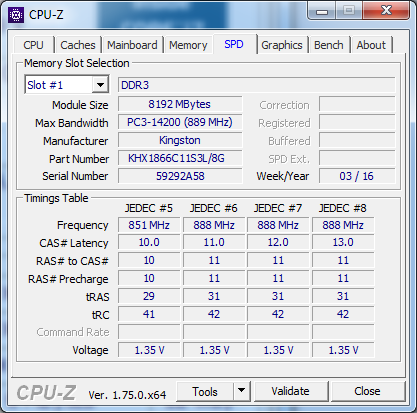
The Kingston Impact HX318LS11IBK2/16 works in this system. The RAM has to be DDR3L. CPU-Z reports a RAM voltage of 1.35V.
Looking for some information about EI751 online, I found information about an onboard SATA connector in addition to the mSATA and 2.5" SATA connector. It turns out that the BIOS do list an additional SATA port but the actual SATA connector is not populated on the motherboard. They could have done us a favor by populating those connector ( SATA and COM1 ). I may populate them if i find suitable connector but I'll wait to break the warranty seal.
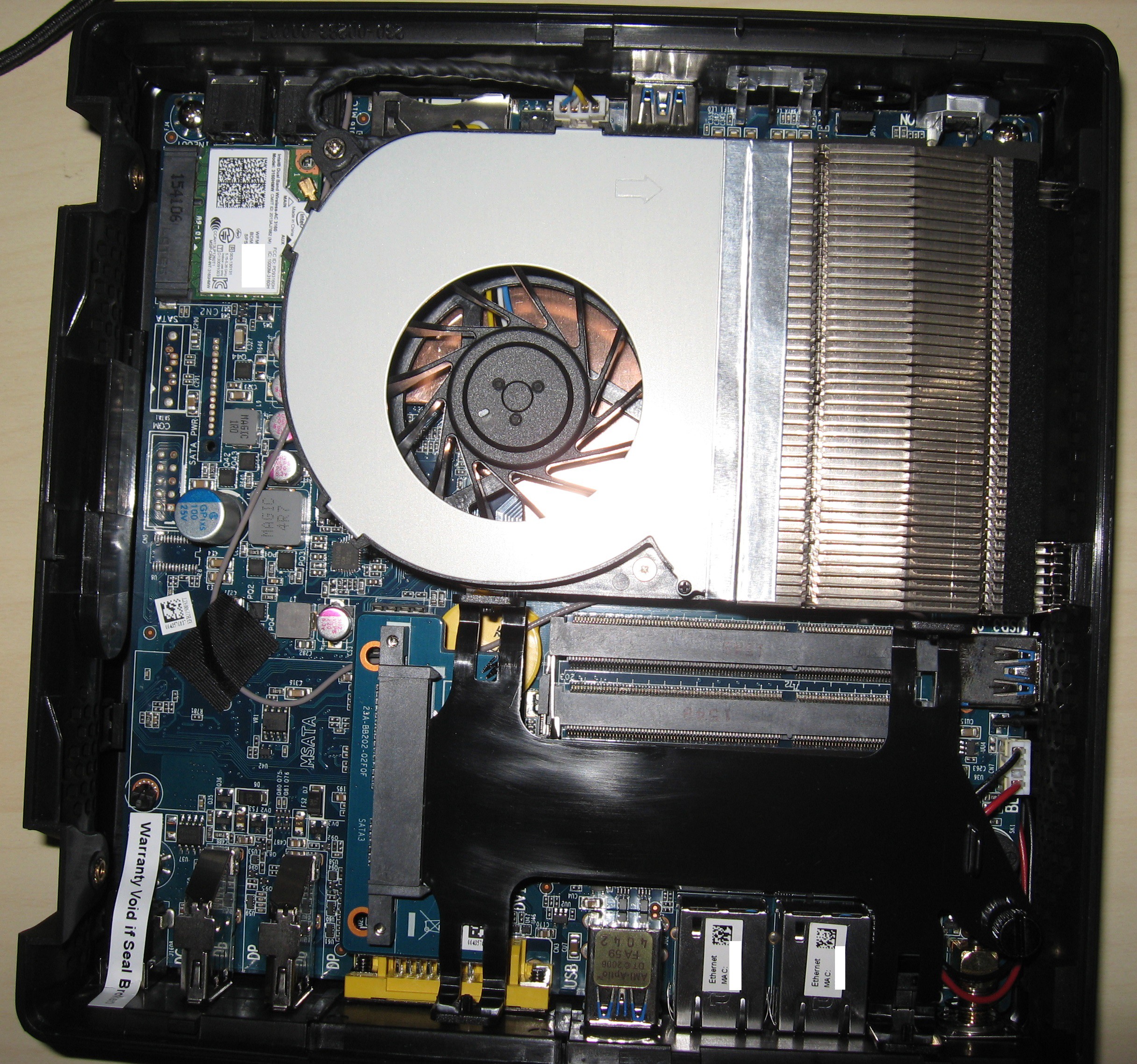
I wanted to be able to use 2 digital full HD monitors. The EI751 has 3 display output ( 2 x DisplayPort and 1 DVI ). I connected my LCD to the DVI port with the provided HDMI adapter and I was surprised to have audio support.
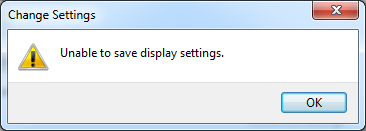
I was unable to use 3 display simultaneously under Windows 7. Windows screen resolution pops Unable to save display settings error. Asking Zotac about it, they say The EI751 supported three display outputs at the same time under Windows. But no further information about it. Intel Iris Pro Graphic 6200 is not listed in 3 Displays FAQ ! Need to check under Linux.
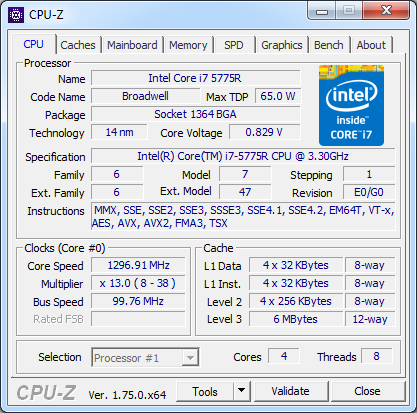
The I7-5775R processor support a wide range of frequency steps.

Stanislas Bertrand's pages
Embedded System Engineer
Like to take things apart, mess with things, fix things, ...