Hackaday.io Hackaday.io
Projects
Discover Contests Courses Stack
More
Courses Tutorials Events Hackerspaces Hackaday.com Tindie Marketplace
Sign up Log in
Close
0%
0%

DOOM on the Raspberry Pico and LCD screen

Ported DOOM to Raspberry Pico and LCD ILI9341

pondahaipondahai
Following Follow project
Liked Like project

Become a Hackaday.io member

Not a member? You should Sign up.

Already have an account? Log in.

Sign up with Github
Sign up with Twitter
OR
Forgot your password?

Just one more thing

To make the experience fit your profile, pick a username and tell us what interests you.

Pick an awesome username
hackaday.io/
Your profile's URL: hackaday.io/username. Max 25 alphanumeric characters.
Pick a few interests
Projects that share your interests
People that share your interests
We found and based on your interests.

Choose more interests.

OK, I'm done! Skip
Join this project
Similar projects worth following
2.1k views
0 comments
6 followers
6 likes
  • Description
  • Details
  • Files 0
  • Components 0
  • Logs 1
    • View all
  • Instructions 0
  • Discussion 0
View Gallery
2.1k
0
6
6

Team (1)

  • pondahaipondahai

Join this project's team
  • rp2040-doom-ili9341
ongoing project

This project was created on 08/10/2023 and last updated 2 years ago.

Description

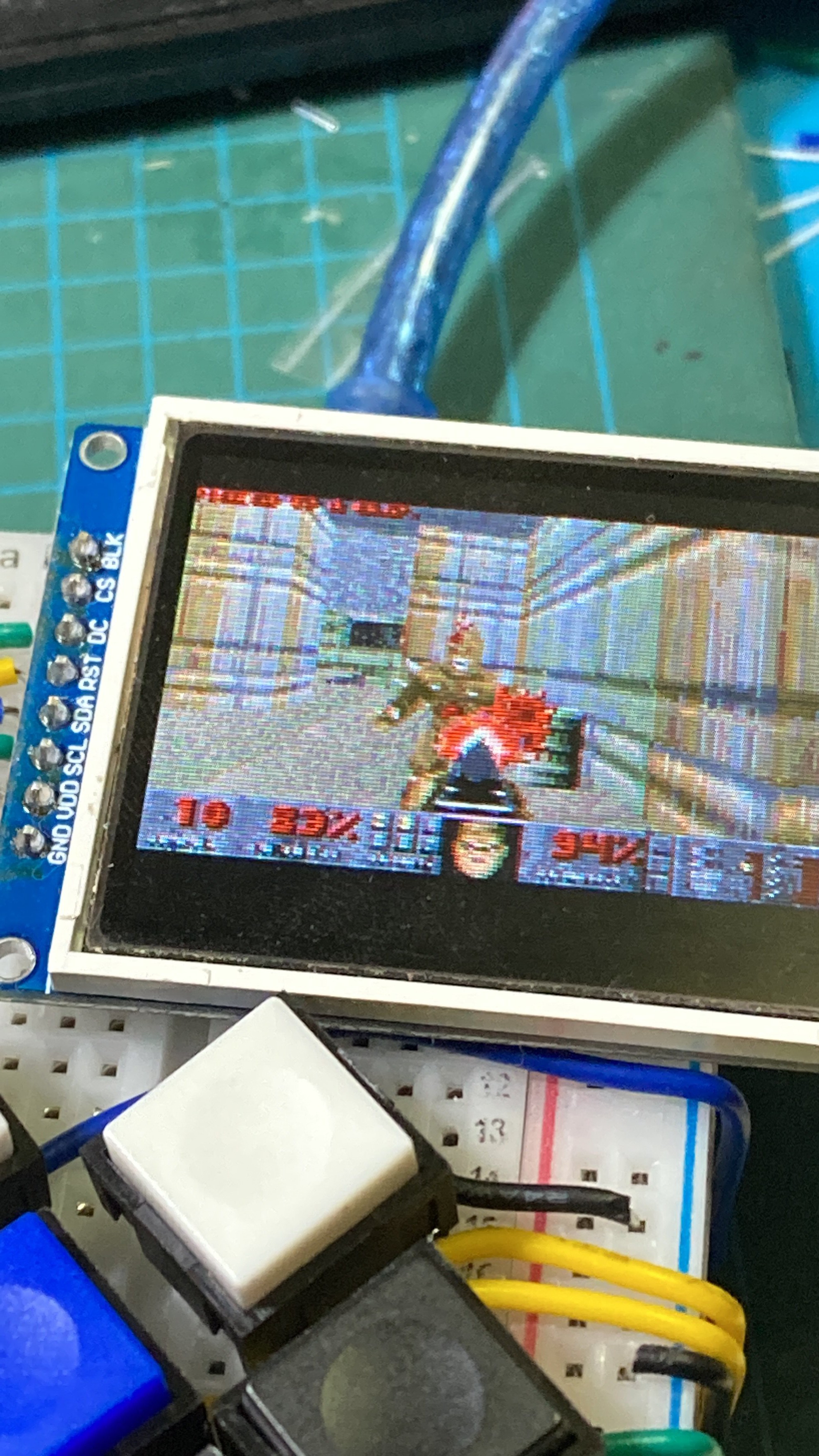
I found a player named kilograham(https://github.com/kilograham/rp2040-doom) on GitHub who ported the DOOM source code to the Raspberry Pico, but it could only be played by connecting to a VGA monitor. So I made some modifications to make DOOM run on the Raspberry Pico and LCD ILI9341. My github: https://github.com/pondahai/rp2040-doom-ili9341

Project Logs
Collapse

  • Make low-cost DOOM games handheld console with breadboard

    pondahai • 12/07/2023 at 03:30 • 0 comments


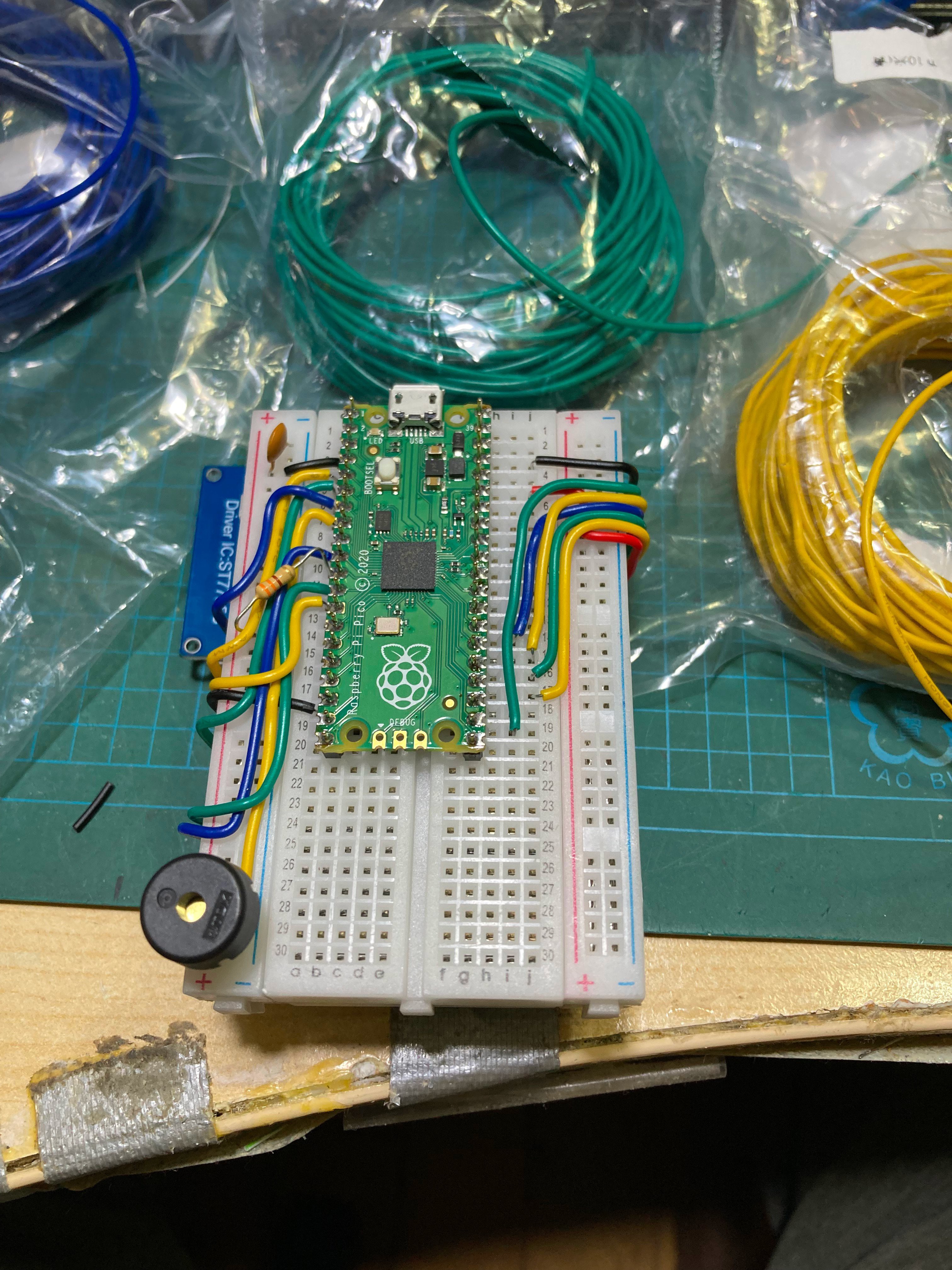
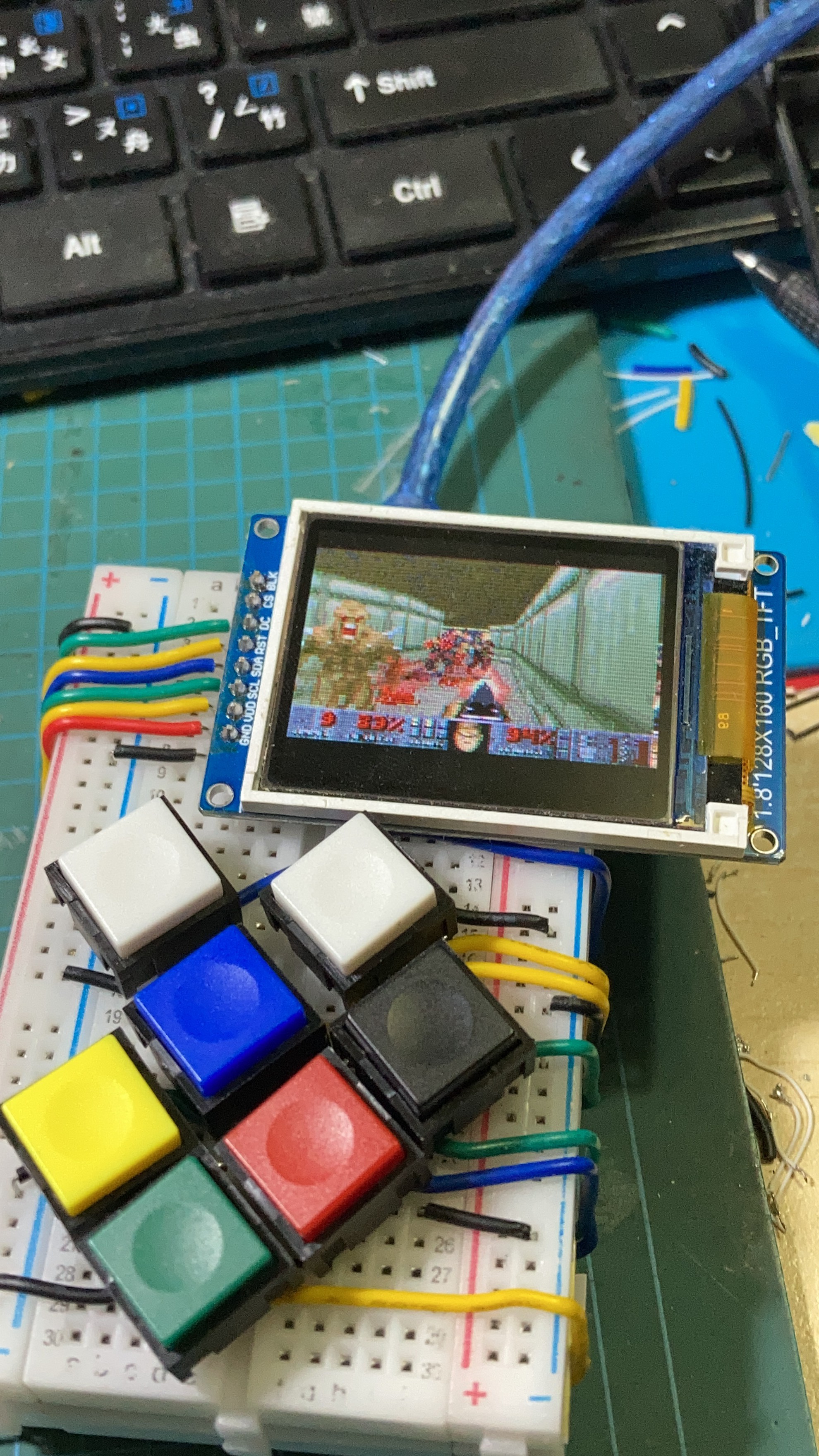
    I use two pieces of bread board.

    One Install raspi pico

    Another one installs 1.8" 160x128 ST7789 LCD

    Add some buttons

    Finally, I modified the code.

    Let it operate on this LCD.

    Adapted from https://github.com/kilograham/rp2040-doom

    Thanks to kilograham for making a huge contribution. He has made a big rewrite of the doom source code so that doom can run on rp2040 (Raspy Pi pico). I just modified it to display it on LCD (ST7789).

View project log

Enjoy this project?

Share

Discussions

Log In/Sign up to comment

Become a Hackaday.io Member

Create an account to leave a comment. Already have an account? Log In.

Sign up with Github
Sign up with X
OR

Similar Projects

Hardware System Monitor for Raspberry Pi on LCD (Open Source)
Project Owner Contributor

LCD Dashboard for Raspberry Pi (System Monitor)

robert-mordzonRobert Mordzon

Official Hackaday Prize Entry
Glanceable information displayed on a LCD screen powered by a atmega328 and feed from a internet connected raspberry pi
Project Owner Contributor

#Atmega_screen

facelessloserfacelessloser

7" 1200x1920 IPS MIPI DSI display for your Raspberry Pi CM4 CMIO board
Project Owner Contributor

7" LCD for Raspberry Pi CM4 CMIO

harlabharlab

OLED screen to display info (i.e. weather) teamed up with a ws2812 led ring for glanceable status. Also a shutdown and reset button
Project Owner Contributor

rpi_status

facelessloserfacelessloser

Does this project spark your interest?

Become a member to follow this project and never miss any updates

Going up?

About Us Contact Hackaday.io Give Feedback Terms of Use Privacy Policy Hackaday API

© 2026 Hackaday

Yes, delete it Cancel

Report project as inappropriate

You are about to report the project "DOOM on the Raspberry Pico and LCD screen", please tell us the reason.

Send message

Your application has been submitted.

Remove Member

Are you sure you want to remove yourself as a member for this project?

Project owner will be notified upon removal.