Close
0%
0%

XiAleste

XiAleste Next is an 8-bit home computer, which is compatible with software for the Amstrad CPC6128 released on 13 June 1985

h2wh2w
Similar projects worth following
XiAleste is an 8-bit home computer, which is compatible with software and hardware for the 1985 Amstrad CPC6128. It also has enhanced capabilities. It is intended to appeal to retrocomputing enthusiasts and to anybody who like to build yourself a hardware unit.

The Concept

The concept of the project was based on the idea of a new version of Amstrad CPC6128 computer - using modern components and up-to-date technology. Subsequently, this concept underwent a number of significant changes. One of these changes was the idea to equip this clone with Aleste extensions.

For reference: Aleste 520EX (A520) - is a Russian clone of Amstrad CPC6128 computer, but with some extensions. The main advantage of this computer was its sound capabilities, which were comparable with Amiga 500. The Aleste computer could play 4-channel mod files - it had a sampler synthesizer. Among the disadvantages were the high complexity of the assembly, as well as the very rare components today. Another drawback was that the A520 had two completely incompatible Aleste and CPC modes. That is all cool features of A520 were not available for CPC programs. This was the flaw that I needed to fix first.

Re-reading the book may surprise you with interesting details. But your new interpretations can be even more interesting and dramatically different from previous ones. Along the way, the project changed and its final formula for the new computer, which is called XiAleste, became the following:

  • XiAleste is primarily an Amstrad CPC with extensions available to it from the A520.
  • The A520 extensions will be redesigned -- the spirit of the A520 will remain.
  • XiAleste is 100% open source. All source files of the project will be published on github.

The XiAleste computer is a sound synthesis platform which cannot be fully emulated on an FPGA, i.e. a MIST or MISTER type board. This computer will have its own unique architecture. This architecture will have:

  • A bus for extension boards -- primary for digital peripherals devices.
  • A basic sound synthesizer system that can be extended. 
  • Bus for sound extensions -- analog sound processing modules. 

The project is very ambitious and I can not give a 100% guarantee for its quick and complete completion. But if there are people who want to get involved and help, chances are better. 
The Spirit of Aleste

This is a retro computer project, so all changes must be made with great love and respect for the engineers who created the amazing Amsrad CPC6128 computer. 

One of the major extensions of the Aleste is the MagicSound sound card. You could say it is the cornerstone of the project. Having a board of this class requires many more signals on the extension connector - more than on the CPC6128 connector. These signals are used for direct access to the memory located on the motherboard. It is important to note that the ability to access the entire address space of the computer at will is another distinguishing feature of the A520.  Although it is not necessary if the sound system is located on the processor board. Nevertheless, the improved expansion slot is something valuable to realize. 

Precisely because this connector is not known to be CPC6128 compliant it can be radically modified. There are also no plans for compatibility with the A520.

Amstrad Expansion Bus

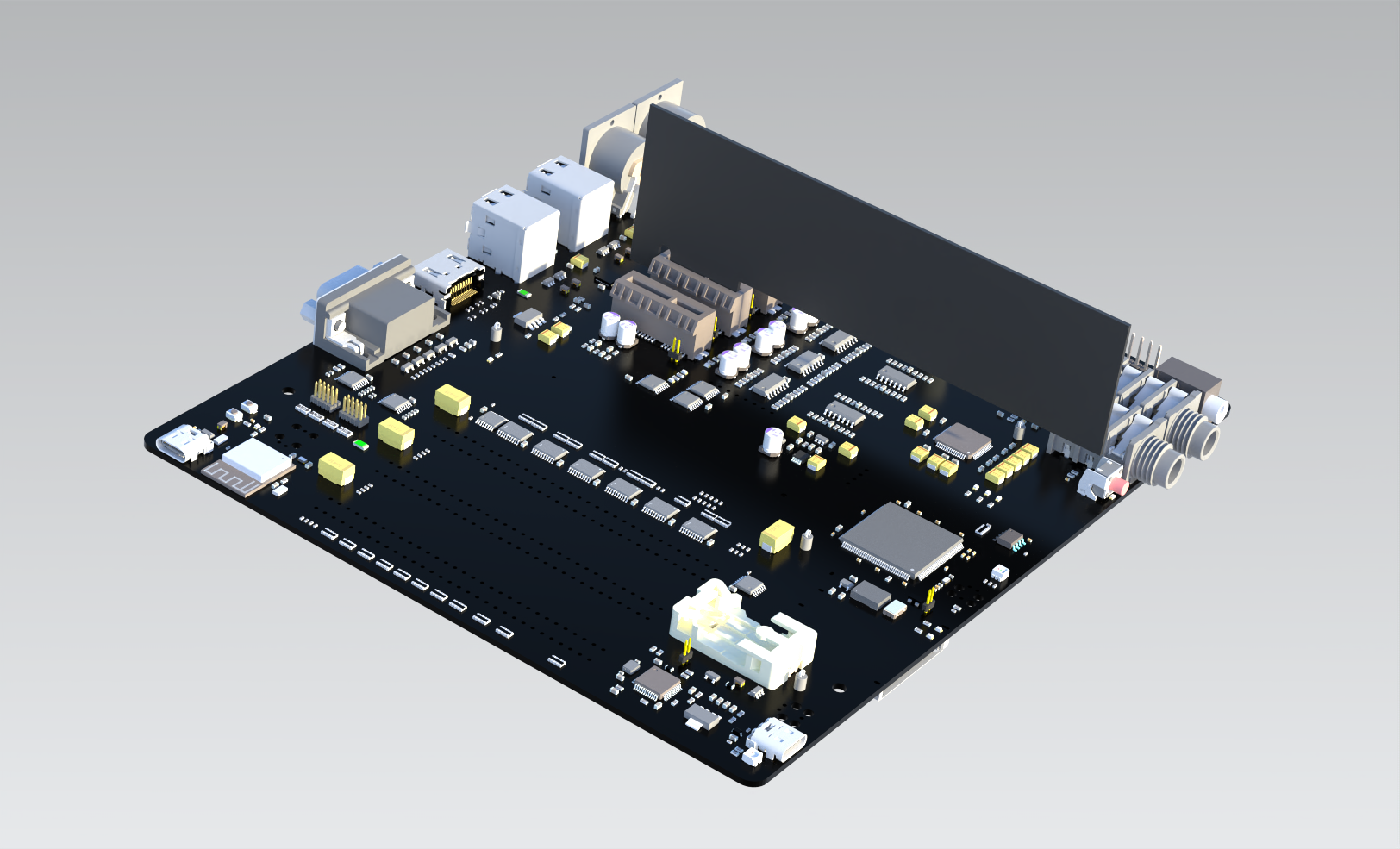
I chose the ITX (DTX) standard as the printed circuit board design. Along the way I noticed that the original Amstrad CPC6128 connector can only be placed on the right side of the PCB. So, unfortunately, I have to give it up. But you can modify the board design and return it to the system.

XiAleste Expansion Bus

The Amstrad CPC6128 connector can be classified as a Processor Direct Connector (PDC), and the Aleste expansion connector can also be classified as such. I plan to evolve this connector to an 8-bit parallel computer bus and install two or three sockets on the board. The Amstrad CPC6128 connector for hardware compatibility can be put on the board as the same PDC without any changes.

Memory Map

Another important feature of Aleste is the use of MSX Mapper as a memory manager. However, this has been done with certain limitations. The fact is that the highest two bits of data in the Gate Array...

Read more »

XiAleste.PDF

The main board schematic

Adobe Portable Document Format - 6.02 MB - 01/08/2023 at 11:54

Preview

  • A Major Milestone Achieved for Alesta LX: The Video Controller is Complete!

    h2w7 days ago 0 comments

    Hello community! I'm thrilled to share a huge achievement: after a intense, three-week-long push, I have successfully completed the development and debugging of the video controller for Alesta LX. This was the most complex and large-scale stage of the project so far, filled with challenges and unexpected turns. But the result was worth every moment!

    Below is a detailed breakdown of what was accomplished and the effort it required.

    What Was Done: A Chronicle of Challenges and Triumphs

    1. UART Bridge and Wishbone Bus
      • Task: Establish a stable serial interface for accessing the Wishbone system bus.
      • Problems: A full 4 days were spent on debugging! The issues were numerous:
        • Unstable operation of WSL with hardware COM ports.
        • Internal synchronization issues in the transmitter and receiver, which had to be completely redesigned.
      • Outcome: The protocol was significantly simplified, and some initially planned features were abandoned for the sake of stability.
    2. SDRAM Controller
      • Task: Enable operation with RAM.
      • Solution: The initial implementation had to be scrapped and rewritten from scratch based on a different open-source project to achieve reliability.
    3. Memory Arbiter
      • Task: Manage memory access for multiple devices (system bus, video controller, future coprocessor).
      • Problems: Many "hidden pitfalls" were discovered.
      • Key Solution: All memory accesses now use a burst mode, which loads 32 bits of data at once, significantly improving efficiency.
    4. Video Controller's System Arbiter
      • Task: Manage the flow of data and addresses within the video controller itself.
      • Outcome: Although this arbiter is simpler, several iterative changes were still required to make it work perfectly.
    5. CRT Controller (CRTC)
      • Task: Implement the "heart" of the video output.
      • Work Done: Significant effort was invested in refining the control registers, adding burst mode support, and fine-tuning signal generation for various video standards.
    6. Video Buffer and Pixel Generator
      • Video Buffer: Despite its seeming simplicity, this device proved to be quite tricky and required deep research and refinement.
      • Pixel Generator: Converts a byte stream from memory into a stream of pixels. It was less demanding but still a non-trivial task.

    Tools and Software

    To debug the palettes and video modes, I had to create a suite of Python utilities:

    • An image converter to the proprietary .PIX format understood by the platform.
    • An image loader to write directly to video memory.
    • Utilities for working with the palette and video controller registers.
    • A patcher to apply on-the-fly changes to memory and devices for switching video modes.

    Video Controller Capabilities: The Final Result

    And here is the result! The video controller isn't just working; it's magnificent.

    • Modes: It supports not only Amstrad CPC modes but also a range of linear modes with a simpler memory structure.
      • Available color depths: 1, 2, 4, and 8 bits per pixel.
      • Maximum image size up to 64 KB.
    • Palettes: A wide selection of palettes is supported!
      • Original CPC colors
      • 12-bit RGB (4096 colors)
      • MSX2+ RGB colors
      • MSX2+ YJK colors

    Proof in a Picture: Attached to this post is the first image displayed on real hardware: 320x200 pixels, 256 colors from a palette of 4096.


    What's Next?

    The era of the video controller is complete. The next grand stage is connecting the central processor (Z80) to the system and running actual software on it.

    Thank you for being with me on this journey! Your support is incredibly important.

  • ​ Debug Bus Interface for External Device Testing and Simulation

    h2w10/20/2025 at 12:21 0 comments

    The Debug Bus interface serves as a specialized channel designed specifically for validation and simulation of external hardware components. This dedicated interface provides direct access to control registers and status monitoring points, enabling comprehensive testing of peripheral devices without interfering with main system operations. Through structured command protocols, engineers can manipulate device configurations, inject test patterns, and verify responses in real-time across various operational scenarios. The interface supports both single-register access for precise control and block transfers for efficient bulk operations, making it particularly valuable for characterizing new hardware, reproducing field issues in lab environments, and automating validation test suites. Its architecture ensures deterministic timing and reliable data integrity, crucial for validating timing-sensitive interfaces and debugging complex interaction patterns between system components.

  • Project Update: Communication Bridge Modules

    h2w10/20/2025 at 10:26 0 comments

    We're excited to share progress on our two key communication bridge implementations that serve distinct critical functions in our ecosystem:

    UART Bridge - Debug & Testing Workhorse The UART bridge module is now operational and serving as our primary debug interface, enabling seamless connection between host systems and our device's internal architecture. This versatile component provides comprehensive memory and register access through Wishbone and debug buses, supporting both individual and block transfer operations with automatic address incrementing. It has become indispensable for firmware development, hardware validation, and automated testing, offering engineers direct control where traditional debug tools fall short. The implementation includes robust error handling and supports various data transfer sizes from 1 to 128 bytes.

    SPI Bridge - System Management Controller In parallel, we've developed the SPI bridge to handle critical system management functions where an external microcontroller acts as Power Management IC supervisor. This bridge facilitates real-time power domain monitoring, clock distribution control, reset sequence management, and system power state transitions. It implements essential safety features including voltage monitoring, thermal protection, and graceful shutdown procedures, ensuring system reliability while providing the microcontroller with comprehensive status reporting and emergency intervention capabilities.

    Both bridges are now in active use across our development pipeline, significantly accelerating our testing cycles and enhancing system reliability.

  • Video Subsystem Description

    h2w10/18/2025 at 10:12 0 comments


    This diagram illustrates the architecture of a video subsystem built around a video controller.

    Main Data and Control Path:

    1. Slave Interface: The video controller features an 8-bit wide slave interface for configuration and control. It transmits 24-bit addresses and data and is connected to the video controller's internal arbiter.
    2. Internal Video Controller Bus: From the internal arbiter, the data bus leads to two main blocks:
      • 6845 CRTC (Cathode Ray Tube Controller): A historical microcontroller for generating video timing signals.
      • Palette Registers: Manage color transformation.
    3. Memory Access Arbiter: A second memory arbiter is connected to the video controller. Its purpose is to multiplex access to the video memory between:
      • The video controller itself.
      • The internal Wishbone bus.
      • Key Feature: The data bus width of this arbiter is 16 bits.
    4. Video Buffer Access: The video controller's output from this arbiter goes to a 32-bit wide video buffer. Due to this width and support for burst mode, the entire video buffer can be filled in a single access.
    5. Connection to RAM: The memory arbiter is also connected to an SDRAM controller, which supplies the data to be displayed.
    6. Image Rendering Pipeline:
      • Data from the video buffer is fed into a pixel converter, which can handle different color formats: 1, 2, 4, and 8 bits per pixel (bpp).
      • The resulting pixel index is sent to the Color Palette (Color Look-Up Table, CLUT), where it is converted into a 12-bit color (likely 4 bits for each R, G, B channel).
      • The color data is stored in a scanline buffer with a capacity of 720 pixels, which corresponds to the width of a standard video mode (e.g., 576i/p or 480i/p).
    7. Video Output: The output of the scanline buffer is connected to an HDMI controller for generating the final digital video signal.

    Future Development Perspective: The diagram uses grey color to indicate the approximate future connection point for a graphics accelerator (e.g., for hardware-accelerated 2D graphics).

  • Project Update: Aleste LX Video Subsystem Development

    h2w10/17/2025 at 10:25 0 comments

    Status: Video subsystem development is in progress.

    What's been completed:

    • The core video system is built and integrated. It includes:
      • SDRAM controller for video memory.
      • Color palettes.
      • Pixel pipeline.
      • Video buffer, scanline table, and HDMI controller.
    • Two Wishbone interconnects are implemented: one for the SDRAM controller and another for internal registers/VRAM access.
    • All graphics modes and memory addressing modes have been verified and are functional.

    Current known issues:

    • There are minor visual artifacts that will be addressed in a future update.

    What's next:

    The next step is to connect the Wishbone infrastructure to the host computer. This same interface will also link the FPGA to the on-board PMI microcontroller.

    We have already completed the full specification for the UART/SPI to Wishbone bridge, which you can find here:

    SPI/UART Specification


    This work is expected to take a few days. Once complete, we will be able to write Python tests to validate all video controller capabilities.

    The image below demonstrates a 256-color mode. With 16KB of memory, this currently results in 80 horizontal pixels, but the mode is designed to support 320 pixels in the final implementation.


  • HDMI Scandoubler & CRTC Module Complete

    h2w10/06/2025 at 11:20 0 comments

    The basic video components for the Aleste project are now working:

    • HDMI scandoubler - converting 15kHz to 31kHz with centering
    • MC6845-compatible CRTC - generating video timing and memory addresses

    Next: Aleste 520EX Graphics


    Moving on to:

    • Pixel processing unit
    • Color palette (16/256 of 4096 colors)
    • Video memory address generator

    The display foundation is ready, now building the graphics system.

  • Evolution of the Aleste 520EX HDMI Architecture

    h2w10/05/2025 at 07:46 0 comments

    Over three weeks of intensive development, we went through several architectural iterations trying to combine the original 16 MHz system with modern HDMI:

    Problems with the Dual-Domain Approach (16 MHz CPU + 27 MHz HDMI):


    - Mismatched timing parameters (31.8 µs vs 32 µs line duration)
    - Buffering requirements due to frame rate discrepancies
    - Scandoubler complexity and increased latency
    - Inability to perfectly align all graphics modes (512x212, 640x200, etc.)
    - Timing closure challenges between clock domains

    The Fundamental New Solution:


    Transition to a **unified 27 MHz clock domain** with controlled CPU pausing.

    Key Advantages:

    • Perfect temporal accuracy of original platform emulation
    • Guaranteed CPU cycle alignment per line/frame
    • Simplified implementation and reliable timing closure
    • "Turbo mode" capability when pausing is disabled
    • Unified architecture for all graphics modes

    The Essence: Instead of fighting frequency mismatches - controlled CPU throttling to maintain original timing while delivering modern HDMI output.

    This represents an architecturally clean solution that separates "simulation time" from "display real-time."*I recommend this approach for any retro platform projects facing similar timing challenges between legacy systems and modern video interfaces.

  • FPGA Development & Project Status

    h2w09/14/2025 at 17:00 0 comments

    I'm continuing the development of this project. My plan includes several critical steps:

    1. FPGA Development
    2. New Board Design, focused on cost optimization.

    Here's what has been completed so far:

    1. The architecture has been designed, built around a 16/24-bit Wishbone bus running at 96 MHz.
    2. The specification for all platform registers is complete, specifically the MMU registers for both Legacy and Native platforms.
    3. The following units have been designed and tested: CPU, PPI, PSG, CRT, PIC, NMI Controller, DMA Controller, SDRAM Controller.
    4. The following units have been designed but not yet tested: Graphics Accelerator, Sound Synthesizer.
    5. The system interconnect is 50% complete.
    6. Current testing is focused on the unit comprising the CPU plus the Native MMU and Legacy MMU.

    The main outstanding tasks are:

    1. CRT to SDRAM address generator, pixel color generator, color palette, Scan Doubler, and HDMI output have not been started.
    2. Work on the MCU, which will handle PMI and Sound Post Effects, has not yet begun.

    I am hopeful for a successful outcome. The immediate next steps are to finalize the system interconnect and complete the testing of the current units before moving on to the remaining design and integration tasks.

  • A minute of Fun

    h2w01/10/2023 at 13:58 0 comments

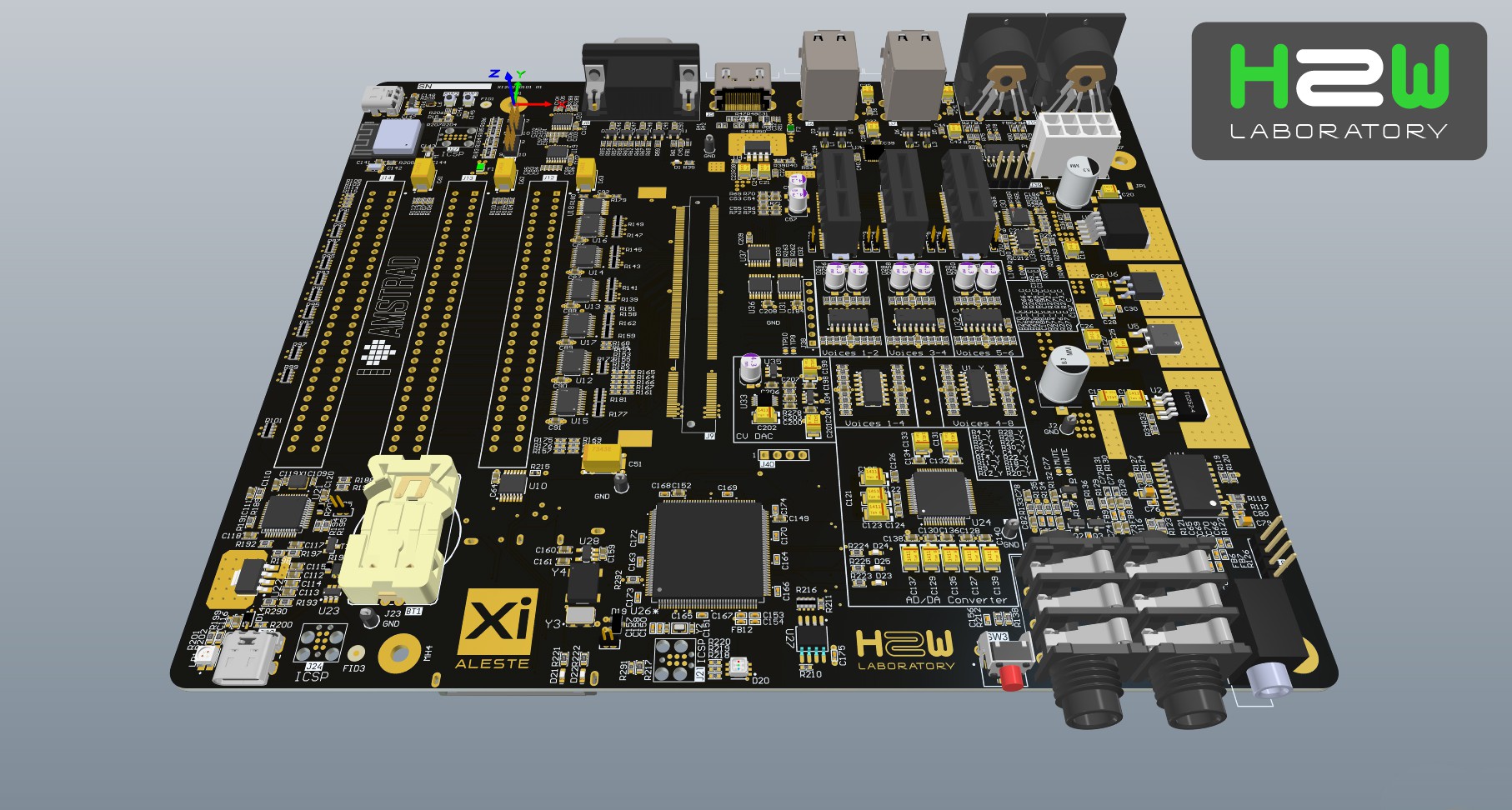
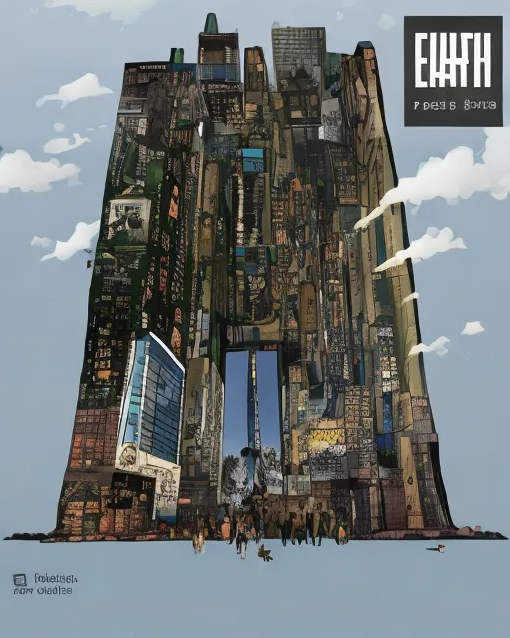
    The AI picture on the word "XiAleste" produce a cute miniature.

    The AI's random art based on XiAleste PCB image.

  • The files now on the GitHub

    h2w01/08/2023 at 11:56 0 comments

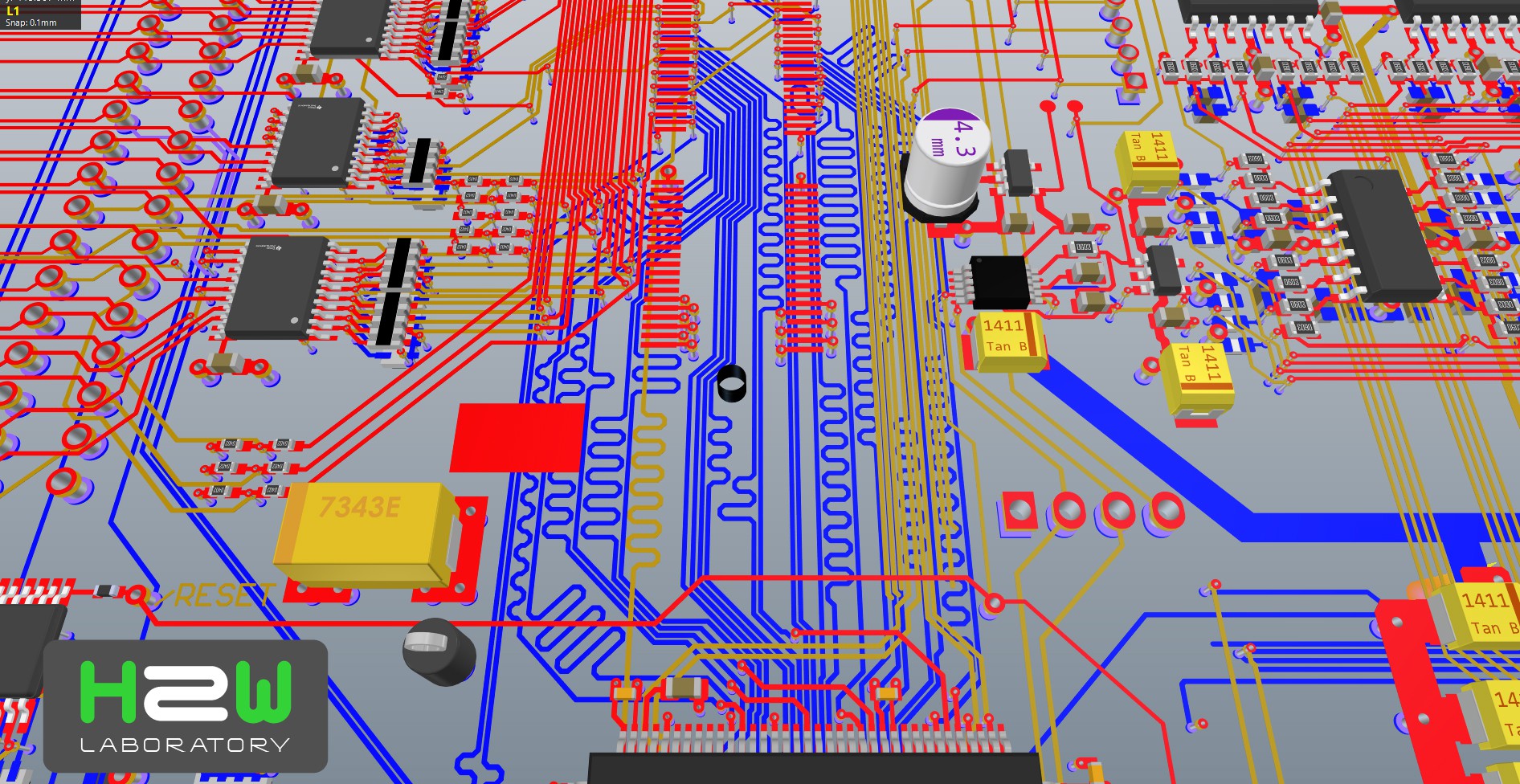
    The PCB project files uploaded to github repository

View all 32 project logs

Enjoy this project?

Share

Discussions

h2w wrote 09/14/2025 at 06:33 point

I'm planning to work on cost optimization. This essentially means doing a PCB layout from scratch. I might do it in KiCAD, though it's unlikely.

  Are you sure? yes | no

h2w wrote 01/10/2023 at 18:35 point

In principle, this is interesting because KiCad makes the project more friendly to the OpenSource community. But it is embarrassing that this board has not been produced and tested, which creates a feeling of prematureness. Nevertheless, I suggest you decide for yourself.

With great respect,
h2w

  Are you sure? yes | no

paulvdh wrote 01/10/2023 at 16:17 point

If there is any interest in converting this to KiCad, then I can do a conversion (takes 10 minutes or so) and some cleanup (KiCad needs global or hierarchical labels to link between different sheets and more). Cleanup may take an hour or two, depending on how well the conversion goes.

  Are you sure? yes | no

Similar Projects

Does this project spark your interest?

Become a member to follow this project and never miss any updates